If you ask how data should be removed from retired equipment, you will soon hear about NIST 800-88. It is the U.S. National Institute of Standards and Technology’s guidance on media sanitization, and vendors, auditors and security teams refer to it often. This guide explains what NIST 800-88 says in plain English, what its three sanitization methods mean, and how a business can apply them.
What Is NIST 800-88?
NIST Special Publication 800-88, Guidelines for Media Sanitization, helps organizations make data on storage media infeasible to access for a given level of effort. The current version, SP 800-88 Revision 2, was published in September 2025. Many older documents and vendor pages still refer to Revision 1, so check which version someone means.
NIST says the guide is meant to help organizations set up a media sanitization program with techniques and controls based on the sensitivity of their information. It was developed for federal systems, and NIST states that nongovernmental organizations may use it on a voluntary basis.
NIST 800-88 Clear vs Purge vs Destroy
Revision 2 defines three sanitization methods.
| Method | What it aims to do | Typical techniques | Drive usable afterwards? |
|---|---|---|---|
| Clear | Sanitize using standard read and write commands, such as overwriting | Overwrite, factory reset where rewriting is not supported | Typically yes |
| Purge | Make recovery infeasible using state-of-the-art laboratory techniques | Device sanitize commands, cryptographic erase, degaussing for some magnetic media | Potentially |
| Destroy | Make recovery infeasible using state-of-the-art laboratory techniques and end use of the media | Disintegrate, incinerate, melt, pulverize, shred | No |
Clear
Clear techniques typically use a device’s normal read and write commands. NIST warns that overwriting has limits: flash devices with spare cells and wear leveling make it infeasible for a user to reach all previous data this way, and overwriting cannot be used on a drive too damaged to operate.
Purge
NIST says purge should be used instead of clear when possible. Logical purge techniques can include overwrite, block erase and cryptographic erase through dedicated device sanitize commands. NIST also notes that degaussing should not be used on non-magnetic storage such as SSDs. Hard Drive Degaussing covers that method in more detail.
Destroy
Destroy applies to most storage media and may be the only option when a device has failed or is obsolete. NIST cautions that bending, cutting or drilling may only partly damage media. It also says that as data density rises, certain destructive techniques can become ineffective, and that pulverize and shred techniques for storage media should be avoided for anything but the lowest security categories of data. If your data is highly sensitive, ask any destruction provider how its process addresses this. Hard Drive Shredding Service lists more questions to ask.
NIST 800-88 and DoD 5220.22-M
Many people still ask for a “DoD wipe.” NIST 800-88 Revision 2 explains that hard drives were once often erased with multiple overwrite passes based on DoD 5220.22-M, and notes that the Department of Defense removed overwriting specifications from that manual in 2006. For certain storage, such as SSDs with overprovisioning, NIST says such practices should be avoided because they provide very little confidentiality protection. When comparing services, ask which method and technique will actually be used on your media.
How to Choose a Method Under NIST 800-88
NIST advises organizations to categorize the information, assess the media, assess the risk to confidentiality, and determine future plans for the media. In practice, ask:
- How sensitive is the information?
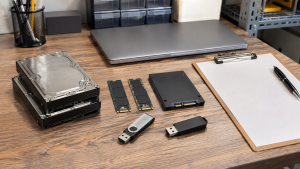
- What media is it on? HDDs, SSDs, phones and embedded storage all differ. SSD Data Destruction explains why flash storage is different.
- Will the device be reused or leave your control?
- Does the device still work? A failed drive may not support clear or purge techniques.
Then record the decision. NIST says the organization should record it and ensure a process and resources are in place to support it. A data destruction policy is a good place to set those rules.
Verification and the Certificate of Sanitization

NIST treats sanitization as something to check, not just perform. Results should be inspected to confirm the technique completed successfully, and destruction should be verified by inspecting what remains. NIST gives a clear example of why this matters: degaussing an SSD can complete successfully while no sensitive data is sanitized.
NIST also provides a sample Certificate of Sanitization. Details worth recording include:
- manufacturer, model and serial number
- media type and source
- sanitization method and technique
- tool used, including version
- verification method
- name, title, date, location, contact details and signature of the person verifying
Certificate of Data Destruction explains how to use these records in a retirement project.
How 3W Computer Relates to NIST 800-88
3W Computer works with businesses retiring IT equipment from its base in Upland, California. On its website, 3W Computer lists software wiping meeting NIST 800-88 standards, physical hard drive shredding, on-site shredding options and a certificate of destruction. Contact 3W Computer to ask which method and technique would apply to your drives and what your records would show.
Frequently Asked Questions
What is NIST 800-88?
It is NIST’s Guidelines for Media Sanitization, which helps organizations choose and document ways to make data on storage media infeasible to recover.
What is the difference between NIST 800-88 clear and purge?
Clear typically uses standard read and write commands. Purge aims to make recovery infeasible even with state-of-the-art laboratory techniques, and NIST says to use it instead of clear when possible.
Is NIST 800-88 mandatory?
NIST says nongovernmental organizations may use it voluntarily. Contracts or regulations may still require or refer to it, so check what applies to you.
What is the current version of NIST 800-88?
Revision 2, published in September 2025.
Is overwriting enough for an SSD?
Not usually by itself. NIST explains that spare cells and wear leveling can leave previous data out of reach of standard overwriting.
Use NIST 800-88 as a Decision Framework
NIST 800-88 does not hand you one correct method. It gives you a way to match the method to your data and media, verify the result, and keep records. Start with an inventory of your media, then decide among clear, purge and destroy.
To discuss how to apply NIST 800-88 to your retired equipment, contact 3W Computer.
Sources
- National Institute of Standards and Technology, SP 800-88 Rev. 2: Guidelines for Media Sanitization
Name: Win Win World Recycle LLC
Address: 1226 West 9th Street, Upland, CA 91786
Phone: 908-798-6789