
Many modern SSDs, laptops and servers encrypt everything they store. That opens up a faster way to sanitize them: instead of overwriting every block, you destroy the key that unlocks the data. This technique is called cryptographic erase, often shortened to CE or crypto erase. Done under the right conditions, it can sanitize a drive in moments. Done under the wrong ones, it can leave readable data behind. This guide explains how cryptographic erase works, what NIST says about it, and how to decide whether it fits your equipment.

What Is Cryptographic Erase?
According to NIST SP 800-88 Revision 2, storage media increasingly include built-in encryption and key management. Under the correct conditions and with strong cryptography, these capabilities can be used to sanitize media with a purge technique known as cryptographic erase.
At a basic level, NIST explains, cryptographic erase is based on sanitizing the keys used to encrypt data, or preventing access to those keys. Once the keys are gone, the encrypted data left on the drive cannot be decrypted.
How Does Cryptographic Erase Work?
- The drive encrypts everything it stores. Drives built this way are often called self-encrypting drives (SEDs). NIST notes that many storage devices have encryption that is always active and encrypts all data stored on them.
- The encryption key is kept on the device, often protected by another key that wraps it.
- A sanitize command destroys the key. NIST recommends zeroization of the target keys, meaning overwriting them with zeros, ones or random data, and notes that all copies of those keys must be able to be sanitized.
- The data remains as ciphertext that can no longer be decrypted.
Because only the keys are sanitized, NIST says sanitization can be performed with high assurance much faster than with other techniques.
Cryptographic Erase vs Secure Erase vs Overwriting
| Cryptographic erase | Overwriting (clear) | Physical destruction | |
|---|---|---|---|
| NIST method | Purge | Clear | Destroy |
| Speed | Very fast | Slow on large drives | Depends on process |
| Drive reusable | Potentially | Typically | No |
| Works on SSDs | Yes, if conditions are met | Limited | Yes, with suitable equipment |
| Main risk | Unencrypted data or key copies | Unreachable areas on flash media | Partial destruction |
“Secure erase” is a general term that vendors use for different device commands, so ask exactly which command or technique a tool runs. NIST warns that on flash storage with spare cells and wear leveling, standard overwriting cannot reach all areas where data may have been stored. That is one reason cryptographic erase is attractive for SSDs. SSD Data Destruction covers the wider options for flash storage.
When Cryptographic Erase Is Not Enough
NIST sets out several conditions and cautions:
- Data must never have been stored unencrypted. NIST notes that a precondition is that no sensitive data has been stored on the media in plaintext, because cryptographic erase can only sanitize keys related to encrypted data.
- Key backups and escrow. NIST says cryptographic erase should not be trusted on media whose keys have been backed up or escrowed unless the organization has high confidence in how and where those keys were stored and managed.
- Strength of the encryption. NIST lists cryptographic requirements and states that federal agencies must use encryption modules validated to the current FIPS 140 standard.
- Long-lived secrets. NIST notes that some information needs protection for decades. If weaknesses in the algorithms were found or future computing made keys recoverable, the ciphertext still on the drive could become readable, so cryptographic erase may not be acceptable for that data.
If any of these conditions are in doubt, use another purge technique or physical destruction. Data Wiping vs Hard Drive Shredding compares those routes.
How to Use Cryptographic Erase in a Retirement Project
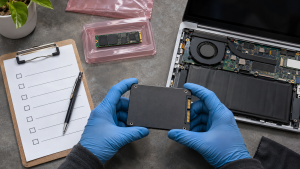
- Confirm the drive type and encryption status. Check whether the drive is a self-encrypting drive and whether encryption was active from first use.
- Check key management. Find out whether keys were backed up, escrowed or managed by a central system, and plan to sanitize those copies too.
- Use the manufacturer’s or a standards-based sanitize command, not just a file delete or operating system reset.
- Verify the result. NIST treats verification as part of sanitization: check the tool’s completion status and any errors.
- Record it. NIST’s sample Certificate of Sanitization includes the sanitization method and technique, tool and version, and verification method. See Certificate of Data Destruction.
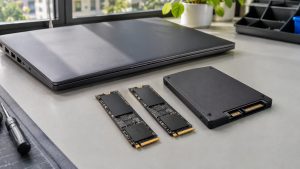
For the wider framework of clear, purge and destroy, see NIST 800-88 Explained.
How 3W Computer Can Help
3W Computer works with businesses retiring IT equipment from its base in Upland, California. On its website, 3W Computer lists software wiping meeting NIST 800-88 standards, physical hard drive shredding, on-site shredding options and a certificate of destruction. Contact 3W Computer to discuss which method fits your drives and how the result will be documented.
Frequently Asked Questions
What is cryptographic erase?
It is a purge sanitization technique that destroys the encryption keys protecting data on a drive, so the remaining data cannot be decrypted.
Is cryptographic erase secure?
It can be, when the drive encrypted all data from the start, strong validated encryption was used, and every copy of the keys is sanitized. NIST lists conditions where it should not be trusted.
What is the difference between cryptographic erase and secure erase?
Cryptographic erase specifically destroys encryption keys. “Secure erase” is a broader vendor term that can refer to different commands, so check what a tool actually does.
Does cryptographic erase work on SSDs?
Yes, on SSDs that encrypt all data and support the command. It is often preferred for SSDs because standard overwriting cannot reach every area of flash storage.
Can a drive be reused after cryptographic erase?
Often, yes. NIST classifies it as a purge technique, which can leave the drive in a potentially reusable state.
Choose Cryptographic Erase With Its Conditions in Mind
Cryptographic erase is one of the fastest ways to sanitize modern encrypted drives, but only when its conditions are met. Confirm encryption from first use, account for every key copy, verify the outcome and keep records. When in doubt, choose another purge technique or physical destruction.
To discuss data sanitization for your retired drives, contact 3W Computer.
Sources
- National Institute of Standards and Technology, SP 800-88 Rev. 2: Guidelines for Media Sanitization
Name: Win Win World Recycle LLC
Address: 1226 West 9th Street, Upland, CA 91786
Phone: 908-798-6789