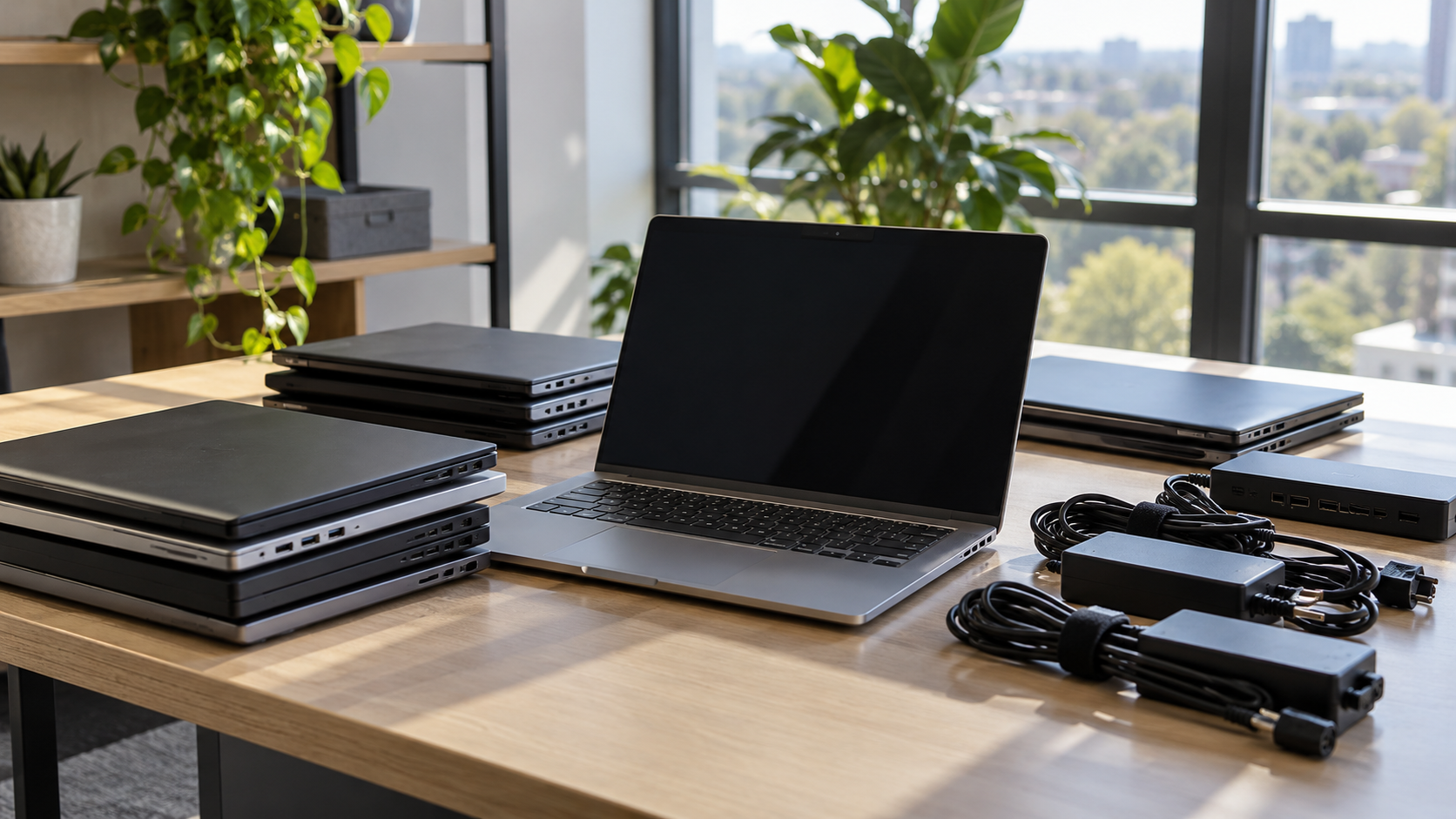
Laptops are replaced more often than almost any other business device, and every one of them stores data, contains a battery and holds materials worth recovering. Laptop recycling done well protects your information, keeps batteries and electronics out of the trash, and gives working machines a chance at a second life. This guide covers the decisions to make before laptops leave your desk or your office.

Step One: Protect the Data
A laptop’s drive can hold email, documents, saved passwords and access to company systems. Deleting files or reinstalling the operating system does not reliably remove everything, especially on modern SSDs. Before laptop recycling, decide how each drive will be handled:
- Sanitize for reuse when the laptop works and may be resold or redeployed.
- Destroy the drive when the laptop is broken, the drive has failed, or your policy requires destruction.
NIST’s current guidance, SP 800-88 Revision 2, encourages organizations to build a media sanitization program and choose methods based on the sensitivity of their information. For step-by-step preparation, see How to Wipe a Computer Before Recycling.
If a laptop no longer turns on, it can still be recycled safely. How to Recycle a Broken Laptop Safely explains the options.
Step Two: Decide Between Reuse, Resale and Recycling
Not every old laptop needs to be broken down for materials. Before choosing laptop recycling, consider whether the machine could be:
- Redeployed to another employee or used as a spare
- Sold as part of a batch, especially if laptops are recent and in good condition
- Donated to a school or nonprofit that can use it
Recycling is the right route for laptops that are too old, damaged or not worth refurbishing. Sell or Recycle Old Computers? A Guide for Businesses and Where to Donate Old Computers cover the alternatives.
Step Three: Handle Laptop Batteries Carefully
Laptop batteries are usually lithium-ion. Damaged or swollen batteries can be a fire risk, so they should not be crushed, punctured or thrown in the trash. Keep swollen batteries separate, store them in a cool place, and tell your recycler about them before pickup. Laptop Battery Recycling: Old and Swollen Battery Guide goes into more detail.
Laptop Recycling Rules in California
In California, laptops are part of the covered electronic waste program. According to CalRecycle, covered devices include LCD and OLED laptops with screens larger than four inches, and DTSC identifies covered devices as hazardous waste when discarded. A recycling fee is collected when a covered device is purchased, and the program funds approved collectors and recyclers.
Other states run their own electronics recycling programs, so check your state’s rules if you are outside California.
Is Laptop Recycling Free?
It depends. Some programs accept laptops at no charge, and working laptops with resale value can offset the cost of a business project. Other factors, such as quantity, pickup, data destruction and documentation, can add cost. Is Computer Recycling Free? explains what typically affects price.
Bulk Laptop Recycling for Businesses

When a company refreshes dozens or hundreds of laptops at once, laptop recycling becomes a small project:
- Inventory every laptop with asset tag and serial number.
- Separate working, damaged and battery-problem units.
- Agree on data handling for every drive, including SSDs that cannot be removed easily.
- Collect chargers and docks with the laptops if they may be resold.
- Schedule pickup and confirm what records you will receive, such as a certificate of data destruction.
The EPA recommends using certified electronics recyclers, so ask any provider about certification status and how downstream partners are managed.
How 3W Computer Supports Laptop Recycling
3W Computer works with businesses retiring laptops and other IT equipment from its base in Upland, California. On its website, 3W Computer lists equipment remarketing, logistics and pickup, detailed inventory reporting, and data destruction services including hard drive shredding, on-site HDD and SSD shredding, software wiping and a certificate of destruction.
Frequently Asked Questions
How do I recycle an old laptop?
Back up what you need, sanitize or plan destruction of the drive, keep the battery intact, and take the laptop to an appropriate collector or recycler. Businesses should use a provider that can document data handling.
Should I remove the hard drive before laptop recycling?
You can, but you do not have to if the recycler will sanitize or destroy drives and document the result. Some laptops have storage built onto the main board and cannot easily be removed.
Can I get cash for old laptops?
Sometimes. Recent laptops in good condition may have resale value, especially in batches. Older or damaged laptops are usually recycled.
Can I recycle a laptop with a swollen battery?
Yes, but handle it carefully. Do not press on or puncture the battery, and tell the recycler before pickup or drop-off.
Is it safe to recycle a laptop that will not turn on?
Yes, as long as the drive is handled properly. Ask the recycler to remove and destroy or sanitize the drive, and request a record.
Plan Laptop Recycling Before the Next Refresh
Good laptop recycling starts with data, then moves to reuse, battery safety and records. Planning these steps before the next refresh saves time and keeps sensitive information protected.
To discuss laptop recycling for your business, contact 3W Computer with your laptop count and pickup location.
Sources
- National Institute of Standards and Technology, SP 800-88 Rev. 2: Guidelines for Media Sanitization
- CalRecycle, Covered Electronic Waste Recycling Program
- U.S. EPA, Certified Electronics Recyclers
Name: Win Win World Recycle LLC
Address: 1226 West 9th Street, Upland, CA 91786
Phone: 908-798-6789