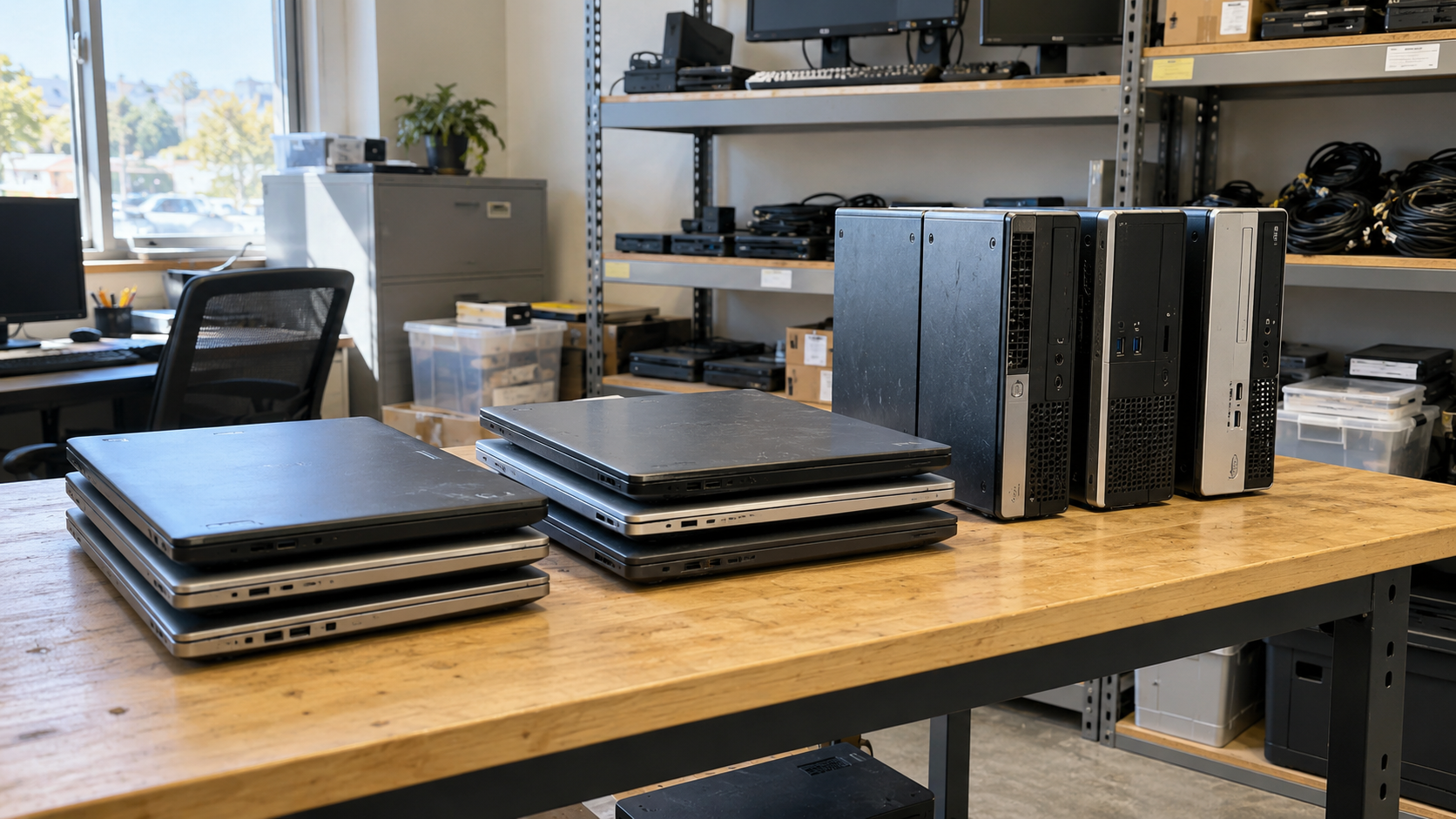
To dispose of old business computers, start by identifying the equipment and preserving any records your organization still needs. Have your IT team approve how stored data will be handled, then choose an appropriate route for reuse, resale, donation, or recycling. Before handing anything over, agree on who will handle the devices and what documentation you will receive.
That sequence matters whether you are replacing ten employee laptops or emptying a storage room before an office move. Getting the equipment out of the building is only one part of the job. You also need a clear record of what left and how the project was completed.
This guide explains how to dispose of old computers with a practical plan your IT and office teams can follow.
Start With a Simple Equipment Inventory
Before requesting a quote, separate equipment approved for disposal from equipment still assigned to employees or needed for ongoing work. Designate one person to approve the final list so that pickup day does not turn into a series of last-minute decisions.

A useful inventory can be a spreadsheet with these fields:
| Field | What to record |
|---|---|
| Equipment type | Laptop, desktop, workstation, or associated equipment |
| Identifier | Serial number and internal asset tag, if available |
| Condition | Working, damaged, incomplete, or unknown |
| Storage status | Drive present, removed, or not yet checked |
| Location | Office, floor, room, or storage area |
| Approval | Person responsible for authorizing disposal |
Keep unknown conditions marked as unknown. You do not need to guess whether a computer works to begin a conversation with a provider.
If drives have already been removed, track them separately and preserve the link to their original computers where possible. Otherwise, a list showing that every laptop was collected may leave unanswered questions about the drives left behind.
Decide What Can Be Reused Before Choosing Recycling
An old computer is not necessarily an unusable computer. A device being replaced for one role may still be suitable for another, provided its condition, software support, and security requirements are acceptable.
EPA recommends considering hardware or software upgrades before replacing a computer. Its guidance also describes donation and recycling as ways to conserve resources. EPA: Electronics Donation and Recycling
For a business, compare these possible routes:
- Internal reuse: Reassign suitable equipment after IT approves it for the new user or role.
- Resale or refurbishment: Ask whether the equipment has recoverable value and what preparation would be necessary.
- Donation: Confirm that the recipient can use the devices and agrees to accept their condition.
- Parts recovery or recycling: Discuss options for equipment that is no longer practical to reuse as a complete system.
Do not assume that every working computer has resale value or that every donation will be accepted. Ask for an assessment before making plans around a payment or a promised recipient.
Plan Data Handling Before Equipment Leaves
Have your IT or security team approve the data-handling plan before collection. Confirm which information must be preserved and who is responsible for carrying out and checking the required work.
NIST SP 800-88 Revision 2, Guidelines for Media Sanitization, provides guidance for establishing a sanitization program based on information sensitivity and appropriate controls. Published in September 2025, it supersedes Revision 1. Use the current guidance when reviewing a proposed process with your IT team. NIST: Guidelines for Media Sanitization
For your project, settle these questions in writing:
- Which devices or storage media require data handling?
- Will the work happen before pickup or at another facility?
- Who is responsible while equipment is waiting, in transit, and being processed?
- What happens if a device cannot be processed as planned?
- What evidence will your team receive before closing the project?
Avoid vague instructions such as “take care of the hard drives.” Ask the provider to describe the proposed method and have the appropriate person within your organization accept it. Treat unresolved devices as exceptions that need follow-up, rather than marking the entire batch complete.
How to Choose a Computer Recycling Provider
A useful quote should explain more than collection availability. It should tell you which equipment is accepted, what work is included, and how the provider will account for the items you hand over.
EPA recommends that businesses use certified electronics recyclers and identifies R2 and e-Stewards as accredited certification standards in the United States. When a provider claims a certification, verify its current status and scope for the facility handling your equipment. EPA: Certified Electronics Recyclers
Ask practical questions before booking:
- Can you accept everything on our inventory, including incomplete equipment?
- Which services are included in the quote, and which cost extra?
- Who collects the equipment, and where does it go afterward?
- How will discrepancies between our list and your count be resolved?
- What reporting can we receive, and when will it be delivered?
- How do you identify equipment suitable for reuse?
If your organization has procurement requirements, provide them at the quoting stage. Discovering that a required report is unavailable after collection is harder to resolve.
What Does Business Computer Disposal Cost?
Request a written quote based on your actual equipment and requirements. Do not assume that a free collection offer includes every item, every location, or every data-handling service.
Ask the provider to specify whether the price accounts for transportation, loading assistance, data-related work, reporting, and any special handling. If equipment value may offset charges, ask how that value will be assessed and when it becomes final.
For a clearer comparison, send each provider the same inventory and scope. One quote may cover collecting boxed equipment at a loading dock, while another includes removing devices from several floors. Comparing those totals without comparing the work can be misleading.
Prepare for Pickup Without Disrupting the Office
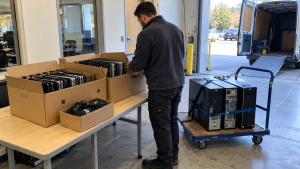
Once the scope is agreed, choose a staging area and label equipment that has been approved for removal. Keep it separate from devices that employees still use or that IT needs to retain.
Give the collection team the details it needs to plan access: parking instructions, loading dock availability, elevator arrangements, building access hours, and the name of your on-site contact. Ask in advance who provides packing materials and who is responsible for carrying equipment from its current location.
Use this final checklist:
- Disposal approval and inventory are complete.
- Required business records have been preserved.
- IT has approved the data-handling arrangements.
- Accepted items and charges are confirmed in writing.
- Equipment awaiting a decision is clearly separated.
- Building access and loading arrangements are agreed.
- Someone is assigned to review the handover record.
Flag unusual conditions, such as damaged devices, to the provider before collection so that handling arrangements can be confirmed.
Close the Project With Records, Not Just an Empty Room
At handover, compare the collected items with your approved list and record any changes. Keep the pickup record alongside the quote and agreed scope.
When the final reports arrive, check that they cover the expected equipment and services. Ask about missing identifiers, unresolved devices, or work described differently from what you approved. Assign someone to follow up until those questions are answered.
Update your asset register only after reviewing the relevant records. This makes it easier to distinguish equipment that was collected from equipment whose processing is fully documented.
Frequently Asked Questions
Can we donate old office computers instead of recycling them?
Donation may be an option if the recipient accepts the equipment and can use it. Confirm condition requirements first, and have your IT team approve the data-handling and transfer arrangements before delivery.
What if we do not know whether the computers work?
Mark their condition as unknown and share the model information or photos you have. Ask whether evaluation is available and whether it affects the quote. Avoid promising working equipment before it has been assessed.
Should we remove the hard drives ourselves?
Ask your IT team and the provider before removing anything. Agree on who will handle the drives and how they will be tracked. If drives are removed, include them in a separate inventory instead of treating the project as finished.
Is business computer recycling always free?
Do not assume it is. Request confirmation for your equipment, location, and requested services. Have any pickup conditions, exclusions, or additional charges included in the written quote.
What should we send when requesting a quote?
Send equipment types, approximate quantities, known condition, pickup location, access details, preferred timing, and data-handling or reporting requirements. A clear scope helps the provider identify questions before scheduling.
Plan Your Next Step With 3W Computer
Knowing how to dispose of old computers starts with a clear inventory and an agreed plan. Decide what can be reused, involve IT in data-handling decisions, and confirm the collection scope and records before equipment changes hands.
Contact 3W Computer to discuss your retired IT equipment. Share your device list, location, and project requirements so you can confirm available options and the next steps for your business.
Name: Win Win World Recycle LLC
Address: 1226 West 9th Street, Upland, CA 91786
Phone: 908-798-6789