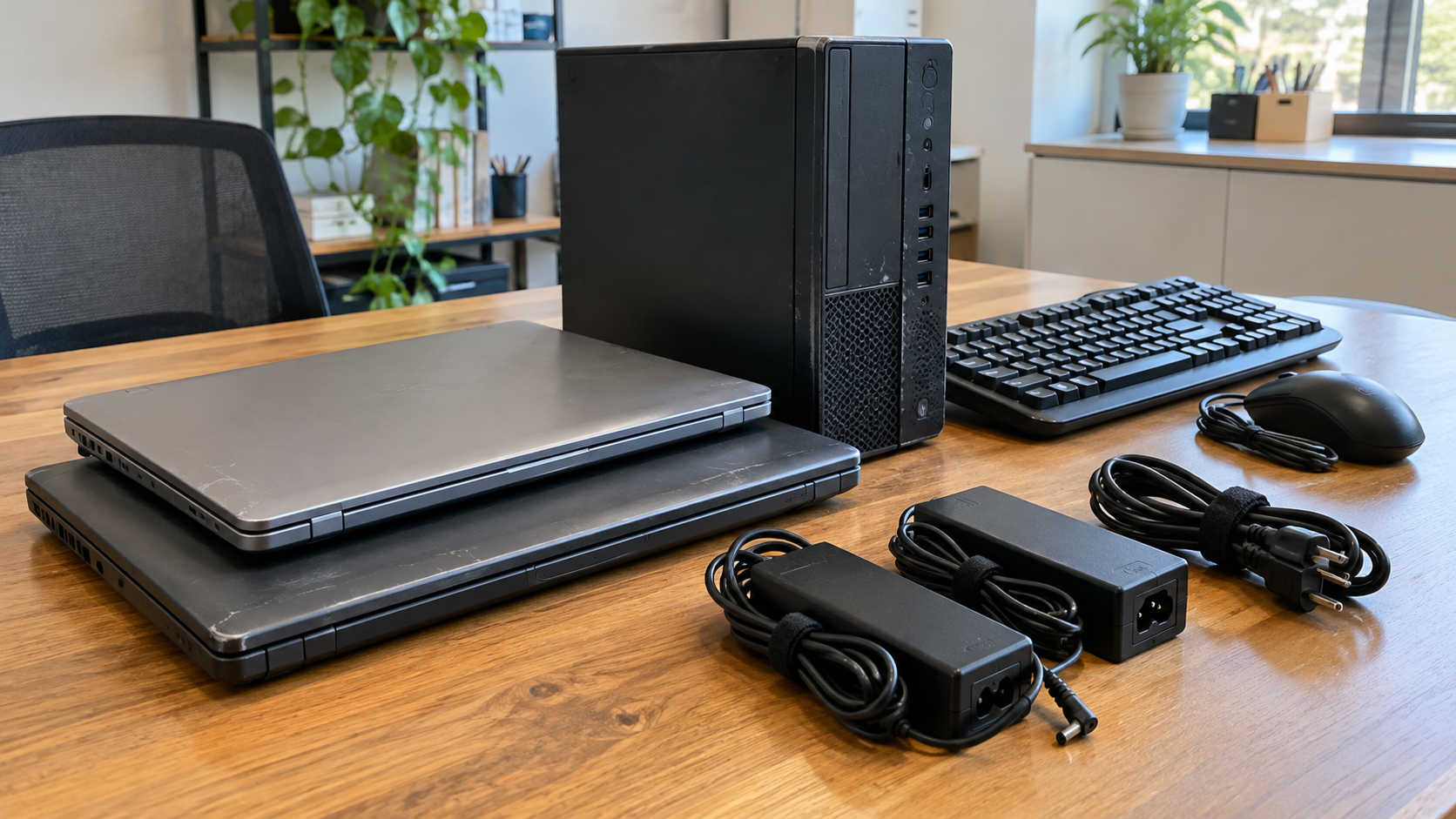
Where to Donate Old Computers: What to Check Before You Give Them Away
If you are deciding where to donate old computers, start with a nonprofit technology refurbisher, a community organization with a confirmed equipment need, or a donation program that reviews devices before accepting them. Contact the recipient first. A computer being available does not mean every school, charity or collection location can use it.
The best fit depends on the equipment’s age, condition, accessories and data requirements. A working laptop may need only preparation before transfer; a broken desktop may need a recipient with repair capacity. An office replacing dozens of devices also needs an approved inventory and a clear handoff plan.
This guide explains how to find a suitable recipient in the United States, what questions to ask, and when recycling is a more practical route.



Where Can You Donate a Computer?
Look for a recipient that explains what happens to donated devices and how acceptance works. Prioritize a current equipment policy over an old directory listing or a general statement that an organization accepts donations.
Nonprofit Technology Refurbishers
These programs can be a useful starting point because they focus on preparing used technology for another user. Ask whether they accept your models and whether they can repair equipment or only receive working devices.
Requirements differ. One program may set age or specification limits, while another reviews equipment individually. Do not apply a single cutoff to all computer donations. Current donation program guidance explains that recipient requirements and repair capacity vary, and acceptance is not guaranteed.
Community Organizations With a Confirmed Need
Contact local organizations that support education, employment access or community services. Explain what you have and ask whether it fits an active need or an approved technology donation arrangement.
A school or nonprofit may lack staff to test, repair and support an unknown computer. An offer is more useful when it includes the model, condition and accessories rather than simply asking whether someone wants old equipment.
Do not leave devices outside an office or deliver them without agreement. Confirm the contact person, handoff location and any required appointment.
Reviewed Donation and Referral Programs
Some programs request a form, equipment details and photos before approving a donation. Others help connect donors with an appropriate recipient rather than operating a walk-in collection point.
Check the official instructions. For example, a current computer donation FAQ describes approval before shipment and distinguishes bulk pickup from individual-device arrangements. That illustrates why a national program should not be assumed to have a nearby drop-off location.
Electronics Collection Programs
The EPA’s electronics donation and recycling page offers resources for finding collection options. These can help you identify a route when a direct donation recipient is unavailable.
Check whether a program supports reuse, recycling or both. A collection point accepting computers does not necessarily promise that your device will be donated to an end user. Ask about its actual process before choosing it for a donation goal.
How to Search for Computer Donation Near You
Combine your city or county with specific searches such as “computer donation,” “nonprofit computer refurbisher” or “donate laptops.” Open the organization’s official website and look for current donor instructions.
For each candidate, confirm three things: it accepts equipment from donors like you, your devices meet its requirements, and the advertised handoff arrangement is current. Household and business donations may follow different routes.
If a page does not answer your questions, send a short inquiry:
“I have two used laptops in [city]. Their models are [models], they power on, and the chargers are included. Do you currently accept these devices? Please let me know your data preparation requirements and approved handoff options.”
For businesses, add the approximate quantity and whether the equipment is managed by your IT team. Avoid sending screenshots, account information or documents containing private data when sharing equipment photos.
What Makes a Used Computer Suitable for Donation?
The recipient’s requirements matter more than how useful the computer once was to you. Consider the device as something another person will need to operate and maintain.
| Equipment detail | Why the recipient needs it |
|---|---|
| Model and approximate age | Helps assess compatibility and program eligibility |
| Working condition | Indicates whether testing or repairs may be needed |
| Charger and accessories | Helps identify missing items needed for use |
| Screen, keyboard and casing condition | Reveals damage that may affect usability |
| Account or management restrictions | Identifies barriers to setup by the next user |
| Storage configuration | Helps plan data handling and any missing components |
Give an honest description. Mention intermittent shutdowns, damaged hinges, missing keys or a missing drive. “Powers on” is useful information, but it is not the same as a complete assessment of reliability.
Ask whether the recipient needs an operating system installed and whether it has its own setup process. Do not promise that software licenses transfer with a computer unless you have confirmed the applicable terms.
Can You Donate Broken or Very Old Computers?
Sometimes, but ask first. A refurbisher may consider a repairable device or useful components, while an organization seeking ready-to-use computers may decline it.
Describe the actual problem. “Does not power on,” “screen is cracked” and “storage drive removed” give a recipient more information than “needs work.” Photos can help with an initial review when requested.
Avoid spending money on repairs solely to qualify for a donation before learning what the recipient accepts. A program may have its own repair process or may be unable to use the model even after a repair.
Battery damage needs a separate discussion. If a laptop’s battery is swollen or damaged, do not place it in an ordinary donation package. The EPA’s lithium-ion battery guidance directs people with swollen batteries to seek appropriate management guidance. Contact the manufacturer or the applicable local waste program before arranging transport. Do not attempt to remove a battery that is not designed for user servicing.
Prepare Your Data Before Giving Away a Computer
Before doing anything that changes storage, back up files you need and check that the backup is accessible. For a business device, follow your organization’s retention and retirement procedures rather than making an individual decision about company records.
Identify the storage media and decide who will handle sanitization. Merely handing over a device, deleting a few files or signing out of an account does not establish that the required data treatment has been completed.
Use a process appropriate to the hardware and the sensitivity of the information. NIST SP 800-88 Revision 2 provides current guidance for organizations establishing media sanitization programs. It supports choosing appropriate techniques and controls rather than assuming one reset procedure suits every device.
If the receiving program offers data handling, ask what it does, when it happens, how equipment is controlled beforehand and what records are available. Decide whether that arrangement meets your requirements before transferring custody.
Account removal is another task. Follow the manufacturer’s transfer instructions and confirm that account locks will not prevent the recipient from setting up the device. Businesses should have IT staff address management enrollment and other access restrictions through authorized procedures.
Removing a drive can also affect donation suitability. Ask whether a recipient accepts computers without storage before making that change. If you keep a drive, you remain responsible for handling the information on it.
Include Useful Accessories and Clear Condition Details
Keep matching power adapters with their devices when accepted. A complete set can save the recipient from having to identify or source a missing charger.
Ask about keyboards, mice, monitors and other accessories separately. They may have different acceptance rules from laptops or desktops. Do not add unrelated electronics to an approved shipment without checking.
Clean accessible exterior surfaces according to the device manufacturer’s instructions. Avoid opening equipment or attempting internal repairs simply to make it look more presentable.
For packaging, follow the recipient’s instructions. Keep devices protected from movement and pressure, and prevent loose accessories from scratching screens or casings. Confirm approval before buying a shipping label or delivering a batch.
What Businesses Should Check Before Donating Office Computers
Business donations need a documented decision, especially when devices come from several teams or locations. Confirm who owns the equipment and who has authority to release it. Leased or externally owned devices may have return obligations.
Create an inventory with the fields your organization needs, such as asset tag, serial number, model, condition and assigned location. Reconcile the equipment list with the actual batch before handoff.
Have IT staff approve data handling, account removal and management release. Equipment that still depends on company access may be difficult for a recipient to use even if the hardware works.
Agree on collection or shipping responsibilities, packing requirements and loading access. Explain whether equipment is upstairs, spread across sites or awaiting internal approval. Confirm any costs before committing to the arrangement.
Finally, ask which records the recipient provides. An acknowledgment of equipment received and a record of data treatment serve different purposes. Obtain the documentation your organization requires without assuming every program includes the same reporting.
When Recycling Is the Better Next Step
Donation is worthwhile when there is a suitable recipient and a practical route to another useful life. It should not become a way to pass unsuitable equipment to an organization that cannot manage it.
Consider recycling when no recipient accepts the devices, repairs are impractical, condition prevents useful reuse, or required data handling leaves the equipment unsuitable for the intended donation.
Discuss the exact equipment and condition with the receiving provider. Computers, monitors and battery-containing devices may need different arrangements. The EPA states that lithium-ion batteries and devices containing them should not go in household garbage or recycling bins; use an appropriate electronics or battery collection route.
If a donation inquiry is declined, ask whether the organization can suggest an appropriate recycling resource. Do not leave the equipment there anyway or assume a rejection means it belongs in regular trash.
Frequently Asked Questions
Can I Donate a Laptop Without Its Charger?
Possibly. Confirm acceptance and identify the missing charger in your inquiry. Including a compatible adapter can help, but individual programs set their own requirements.
How Old Is Too Old to Donate a Computer?
There is no universal cutoff. Programs assess age, specifications, condition and their ability to support the device. Share the model and ask for the recipient’s current requirements.
Can I Donate a Computer That Does Not Turn On?
Some recipients may consider it for repair or parts. Others accept only working equipment. Describe the fault and wait for approval before sending it.
Will Someone Pick Up My Computer Donation?
Pickup depends on the program, location and quantity. An organization arranging bulk collections may still require individual donors to ship devices. Confirm the terms for your equipment.
Should I Remove the Hard Drive Before Donating?
Decide based on your data requirements and the recipient’s acceptance policy. A computer without storage may need additional work before reuse. Removing the drive also leaves you responsible for the data on it.
Can I Get a Receipt for Donated Computers?
Ask what acknowledgment the recipient provides and which equipment details it records. Obtain any documentation you need before completing the transfer; do not assume every program issues the same records.
Choose a Recipient Before Moving Equipment
Knowing where to donate old computers means finding more than an address. Confirm that your devices fit a recipient’s needs, prepare the data and account access, and agree on the handoff before sending anything.
If donation is not suitable, contact 3W Computer to discuss your retired computers and related IT equipment. Share the models, quantity, condition and location, and ask about applicable reuse, recycling and data handling options for your project.
Name: Win Win World Recycle LLC
Address: 1226 West 9th Street, Upland, CA 91786
Phone: 908-798-6789