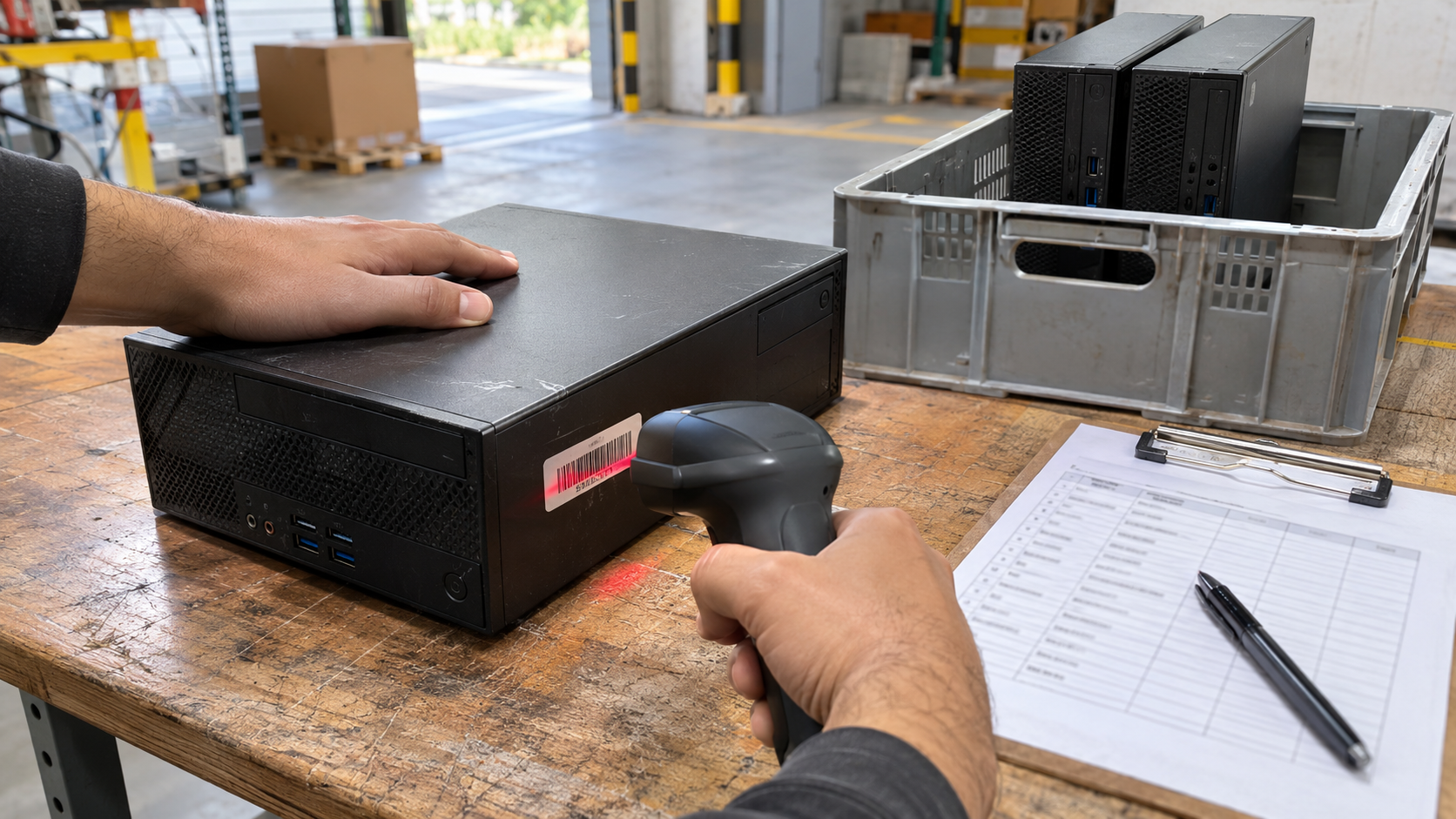
Every organization has laptops, monitors, servers and network gear spread across desks, closets and home offices. Without a way to identify each one, it is hard to know what you own, where it is, or whether it came back when someone left. IT asset tagging solves that by giving each device a unique label linked to a record. This guide explains how IT asset tagging works, what to record, and how it helps at the end of a device’s life.
What Is IT Asset Tagging?
IT asset tagging is the practice of attaching a unique identifier, such as a label with a number, barcode or QR code, to each piece of IT equipment and linking that identifier to a record in an inventory or asset management system.
The tag itself is simple. Its value comes from the record behind it: what the device is, who has it, where it is and what has happened to it.
Why IT Asset Tagging Matters
Security Depends on Knowing What You Have
NIST’s guide SP 1800-5, IT Asset Management explains that a physical asset management system can tell you the location of a computer, while a broader IT asset management approach ties physical and virtual assets together to show what, where and how assets are being used. NIST says that visibility leads to better asset utilization and security.
Security Requirements Expect an Inventory
NIST SP 800-171 Revision 3, which covers Controlled Unclassified Information in nonfederal systems, includes requirement 03.04.10, System Component Inventory. It calls for developing and documenting an inventory of system components, reviewing it regularly and updating it during installations, removals and system updates. NIST lists inventory details such as component type, physical location, date of receipt, manufacturer, cost, model, serial number and supplier information.
Even if your organization is not subject to that requirement, it is a useful model for what a good inventory includes.
Disposal Is Easier When Assets Are Tagged
When a device is retired, the tag connects it to its history. The FTC’s guide Protecting Personal Information advises businesses to inventory computers, laptops, mobile devices, flash drives and other equipment to find where sensitive data is stored. Tagged assets make that inventory and the later disposal far easier to track.
How IT Asset Tagging Works
- Choose a tag format. Common choices include printed labels with numbers, barcodes or QR codes. Pick a format your team can scan or read easily.
- Create a numbering scheme. Use unique, non-repeating numbers. Avoid embedding details that change, such as a user’s name.
- Tag at receipt. Apply the tag when equipment arrives, before it is deployed.
- Record the details in your inventory system.
- Update the record whenever the device moves, changes owner, is repaired or is retired.
- Audit regularly by checking tags against the inventory.
What to Record for Each Tagged Asset
| Field | Why it matters |
|---|---|
| Asset tag number | Unique internal identifier |
| Manufacturer and model | Identifies the device type |
| Serial number | Manufacturer’s identifier, used on certificates |
| Assigned user or department | Accountability |
| Physical location | Where to find it |
| Date of receipt | Age and refresh planning |
| Supplier and cost | Purchasing and finance |
| Storage type | Whether the device holds data |
| Status | Deployed, in storage, in repair or retired |
Several of these fields mirror the inventory details NIST lists in SP 800-171.
Where to Place IT Asset Tags
- on a flat, visible surface that will not wear quickly
- away from vents, ports and screens
- in the same place on each device type, so staff know where to look
For devices that are hard to label, such as small accessories, track them as part of a parent asset or use a separate list.
IT Asset Tagging and End-of-Life Disposal
Tagging pays off most at retirement. When a device leaves:
- Mark it as retired in the inventory.
- Record data handling against the asset tag and serial number.
- Match pickup records to your tag list. ITAD Chain of Custody explains how.
- Match certificates to serial numbers. A certificate of data destruction should let you do this.
- Close the record once the outcome is confirmed.
IT Asset Lifecycle Management shows where tagging fits across the full lifecycle.
Common IT Asset Tagging Mistakes
- Tagging without a record. A tag that is not in the inventory does not help.
- Not updating moves. Records go stale quickly.
- Skipping small or remote devices. Laptops at home offices and loose drives are easy to lose. Remote Employee Laptop Return covers getting devices back.
- Removing tags before disposal. Keep tags on until disposal records are complete.
How 3W Computer Can Help
3W Computer works with businesses retiring IT equipment from its base in Upland, California. On its website, 3W Computer lists detailed inventory reporting, logistics and pickup, equipment remarketing and data destruction services including a certificate of destruction. Contact 3W Computer to discuss how retired assets will be reported back against your inventory.
Frequently Asked Questions
What is IT asset tagging?
It is labeling each piece of IT equipment with a unique identifier linked to a record of what the device is, who has it and where it is.
Why is asset tagging important?
It supports security, accountability and audits, and makes it easier to confirm what happened to each device when it is retired.
How does asset tagging work?
Each device gets a unique tag at receipt, the tag is recorded in an inventory with key details, and the record is updated through the device’s life.
What should an asset tag include?
At minimum, a unique number. Many organizations add a barcode or QR code so the tag can be scanned.
Should we remove asset tags before recycling equipment?
Keep them on until disposal records are complete, so the device can be matched to your inventory and certificates.
Start IT Asset Tagging Before the Next Refresh
IT asset tagging is simple to begin and pays off for years. Tag at receipt, keep records current, audit regularly and use the tags to close each device’s record cleanly at retirement.
To discuss reporting on your retired IT assets, contact 3W Computer.
Sources
- National Institute of Standards and Technology, SP 1800-5: IT Asset Management
- National Institute of Standards and Technology, SP 800-171 Rev. 3
- Federal Trade Commission, Protecting Personal Information: A Guide for Business
Name: Win Win World Recycle LLC
Address: 1226 West 9th Street, Upland, CA 91786
Phone: 908-798-6789