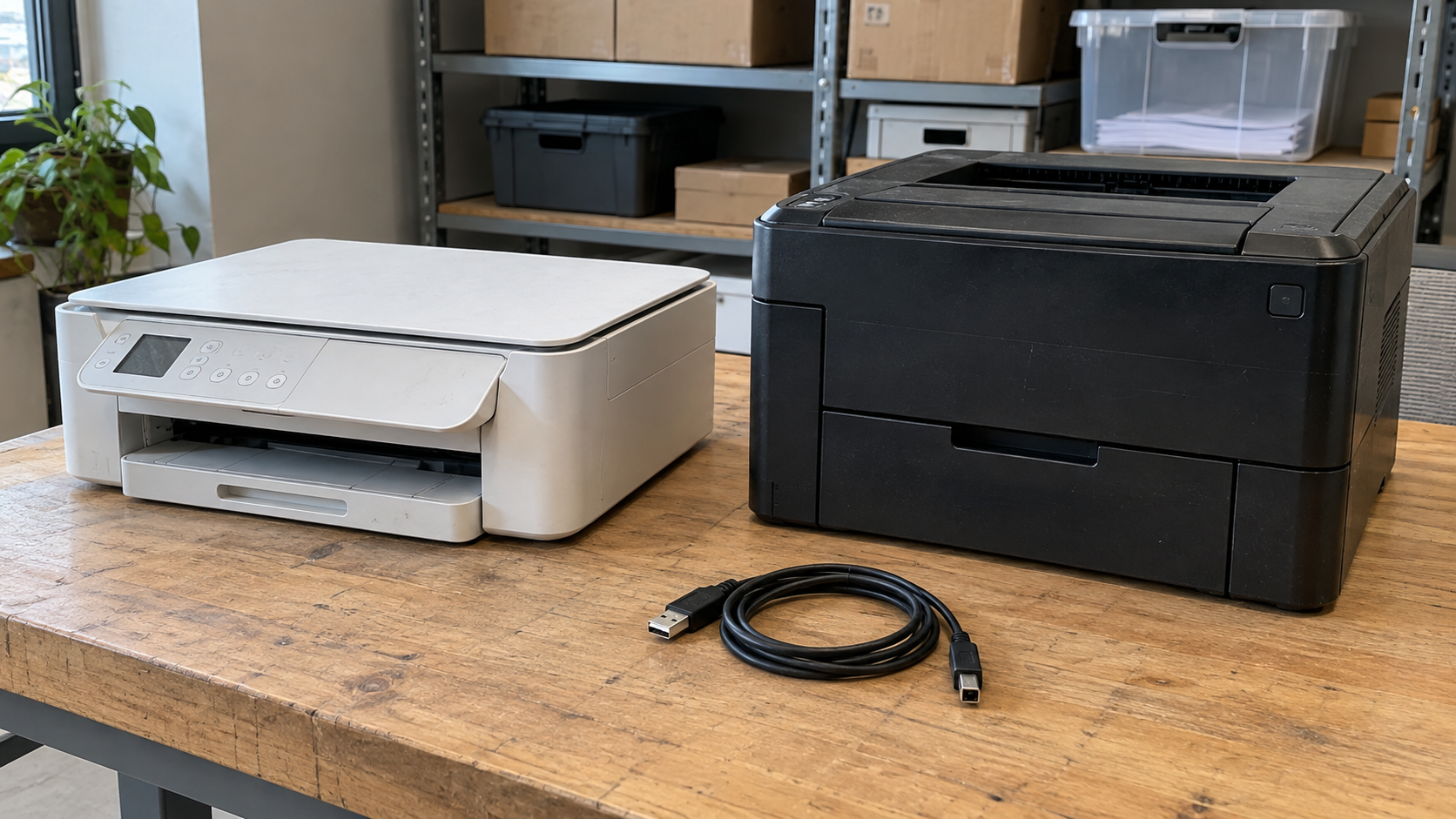
Printer Recycling: Where to Recycle Old Printers and What to Do First
Printer recycling starts with finding a program that accepts your actual equipment. A compact inkjet printer, a desktop laser printer and a large office copier may have different collection requirements. Confirm acceptance before loading a vehicle, booking transportation or clearing out an office storage room.
Look for local electronics collection programs, manufacturer takeback options or an electronics recycling provider. Then ask about equipment condition, fees, cartridges and any preparation required. For networked multifunction devices, include data handling in that conversation.
This guide explains how to compare recycling routes, prepare an old or broken printer, and organize a business batch without overlooking ownership or stored information.
Identify the Printer Before Choosing a Recycling Route
Find the model number on the device and note whether it works. You do not need to dismantle a printer to describe it accurately. A photo and a clear condition summary can help a receiving program review the equipment.
| Equipment | Information to provide |
|---|---|
| Compact inkjet printer | Model, condition, whether it contains ink cartridges or refillable tanks |
| Desktop laser printer | Model, condition and whether toner remains installed |
| Multifunction printer | Printing, scanning or fax capabilities; model-specific storage and account features |
| Large office copier | Model, approximate size, ownership, access and data handling requirements |
| Broken equipment | Known faults, loose parts, leaks or visible damage |
Separate the device from its consumables in your inquiry. A program accepting ink cartridges may not accept whole printers, and an equipment recycler may have specific instructions for installed supplies.
For businesses, count devices by type. A list of six desktop printers and one large copier gives a provider a clearer starting point than “a few office machines.”
Where to Find Printer Recycling Near You
Start with a current official program page. A search result or old directory listing can identify a candidate, but it does not confirm today’s acceptance rules or opening arrangements.
City or County Electronics Collection
Check your local waste agency’s electronics collection information. Look for permanent locations, collection events, appointments, residency requirements and accepted equipment.
Ask specifically about printers. Do not assume that a program accepting computers accepts every peripheral. Confirm whether business equipment is eligible and whether there are quantity limits.
If an event is intended for household electronics, an office cleanout may need another arrangement. Avoid bringing a mixed business batch without approval.
Manufacturer Takeback Programs
Review the printer manufacturer’s current recycling information for your country and device. Hardware return and cartridge return can follow separate processes.
Check eligibility, packaging instructions, transportation arrangements and any costs before sending equipment. A cartridge return envelope or label should not be assumed to cover the printer itself.
The EPA’s electronics donation and recycling guidance offers resources for finding electronics collection options. Use those resources as a starting point, then verify printer acceptance with the receiving program.
Electronics Recycling Providers
For business equipment, contact a provider with enough information to assess the project. Include models, quantity, condition, location and whether any devices require data handling.
Ask whether drop-off or pickup is available for your equipment and area. A provider’s general collection service does not establish eligibility for a large copier, a damaged printer or a small household device.
Compare arrangements using the same equipment list. Clear scope helps avoid a quote for desktop printers being mistaken for approval to remove a larger floor-standing machine.
Should You Donate a Working Printer Instead?
Consider reuse if the printer works and there is a recipient who can use it. Ask about the model, available supplies and compatibility before offering it to a school or nonprofit.
A working printer may still be difficult for someone else to operate if its supplies are unavailable, essential parts are missing or it does not fit their setup. Describe the condition honestly, including intermittent faults and known maintenance needs.
Do not deliver equipment without an agreed recipient. Confirm acceptance, accessories and data preparation first. For company-owned printers, obtain retirement or transfer approval before giving anything away.
If reuse is impractical or no recipient accepts the device, proceed with an appropriate electronics recycling route. Donation should not become a way to transfer an unresolved equipment problem to another organization.
What to Do With Ink and Toner Cartridges
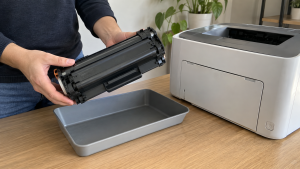
Check the instructions for both the printer and the receiving program. Some arrangements require cartridges to be removed; others specify how the device should arrive with supplies installed.
Cartridge recycling is a separate service to confirm. Manufacturer programs can have brand, cartridge-type and packaging restrictions. A return option for one supply does not automatically cover every cartridge in a mixed office collection.
For example, current manufacturer cartridge recycling information distinguishes printing supplies from hardware recycling. Follow the relevant manufacturer’s current requirements rather than placing all supplies into a general electronics box.
Keep cartridges intact. Avoid opening them, emptying their contents or attempting to clean out toner before return. Use the approved packaging and instructions for the specific program.
If a device leaks or has damaged supplies, disclose that before moving it. Refillable ink-tank printers also need model-specific preparation; do not apply cartridge instructions to a different design.
Keep supplies identifiable, especially when several printers are being retired. A short list of cartridge types can help you confirm which return options apply.
Check Data and Account Features Before Handoff
Do not assume every printer contains a hard drive. Check the exact model and ask your IT team or manufacturer about its storage and configuration features.
Some multifunction devices can retain document information on internal storage. The FTC’s digital copier security guide explains why that storage deserves attention when equipment is returned or disposed of.
Review the manufacturer’s retirement instructions and your organization’s security requirements. Identify what must be removed, reset or sanitized before the device leaves your control. Account disconnection and storage sanitization may be separate tasks; one should not be assumed to complete the other.
For devices connected to cloud accounts or subscriptions, follow the appropriate account-transfer or cancellation instructions. Coordinate network and management changes with authorized staff.
Avoid removing internal storage on your own simply because a device looks ready for disposal. The FTC notes that storage can contain firmware needed for operation and recommends skilled technicians for removal. This is particularly relevant when a machine is leased or intended for reuse.
Agree on who performs the required work and what records are needed. A general recycling receipt should not be treated as proof of data treatment unless that work and documentation were specifically included.
Is Printer Recycling Free?
There is no single price for every printer and collection arrangement. An eligible household drop-off and a business project involving large equipment may have different terms.
Request the current fee information for your device or batch. Ask whether it includes transportation, loading, consumables, required data handling and documentation where relevant.
For larger projects, access can affect the scope. Tell the provider about stairs, elevators, parking, loading restrictions and equipment located across multiple rooms or sites.
Do not assume that a device has enough resale value to offset the work. Condition, suitability for reuse and the agreed service requirements need assessment. Obtain a quote based on actual equipment rather than a guessed universal rate.
Prepare Printers for an Approved Collection
Complete any required data and account work before final packing, unless you have agreed on a suitable controlled process with the provider.
Check for papers left in document feeders, scanner areas, output trays and accessible paper paths. Handle confidential printouts through your organization’s approved process rather than leaving them with the equipment.
Follow manufacturer and recipient instructions for power-down, cartridges, tanks, detachable accessories and transport preparation. Keep accepted cables organized so they do not catch on equipment or become separated from a reusable device.
Close covers and secure movable parts as instructed. Disclose damage rather than attempting an unfamiliar repair to make the printer easier to move.
Large machines need an agreed moving plan. Confirm who supplies handling equipment and loading labor. Do not assume that a collection appointment includes moving a heavy copier down stairs or dismantling it onsite.
Business Printer Recycling Checklist
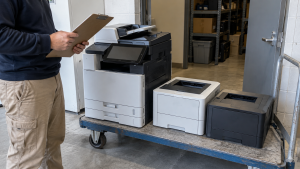
Before arranging an office batch, work through these items:
- Confirm ownership and check any lease or return obligations.
- Obtain approval for retirement, reuse or recycling.
- Record model, quantity, condition and required asset identifiers.
- Have IT staff assess storage, accounts and management settings.
- Confirm how ink, toner and other consumables should be handled.
- Provide loading and building-access details.
- Agree on equipment acceptance, service scope and costs.
- Request the records your organization needs for the handoff.
Reconcile the equipment list before collection. If you add another device after receiving approval, update the provider rather than assuming it is included.
Keep exceptions visible. A leased copier awaiting a return decision, a device with unresolved data requirements and a leaking printer should not disappear into an otherwise approved batch.
Frequently Asked Questions
Can a Broken Printer Be Recycled?
Potentially, but acceptance depends on the program and condition. Describe the fault and disclose damage or leaks before delivery. Obtain any special preparation instructions first.
Can I Put a Printer in Curbside Recycling?
Do not assume a regular curbside program accepts electronics. Check your local waste agency’s current printer disposal instructions and use a collection arrangement that explicitly accepts the device.
Should I Remove Ink or Toner Before Recycling?
Follow the printer manufacturer’s and receiving program’s instructions. Confirm a separate return route for removed cartridges where applicable. Do not empty or dismantle cartridges yourself.
Do All Printers Store Documents?
No single rule applies to every model. Some multifunction devices have internal storage that can retain document information. Identify your equipment’s features and assess the appropriate retirement process.
Can I Recycle a Leased Office Copier?
Check the lease and consult the equipment owner before disposal. Return obligations and data handling need to be resolved through an authorized process. Do not independently recycle someone else’s equipment.
Can Printers Be Collected With Old Computers?
Possibly, if the provider approves the complete list. Confirm printer types, consumables, data requirements and access rather than assuming they are included in a computer collection arrangement.
Discuss Your Retired Printing Equipment
Printer recycling is easier to arrange when you know the model, condition, ownership and preparation requirements. Confirm a receiving route, address relevant data and account features, and agree on supplies and transport before handoff.
Contact 3W Computer to discuss your retired printers and related office IT equipment. Share your location, device models, approximate quantity and condition, and ask about acceptance, applicable costs and suitable next steps for your project.
Name: Win Win World Recycle LLC
Address: 1226 West 9th Street, Upland, CA 91786
Phone: 908-798-6789