Cable Recycling: Where to Take Old Cables and Chargers
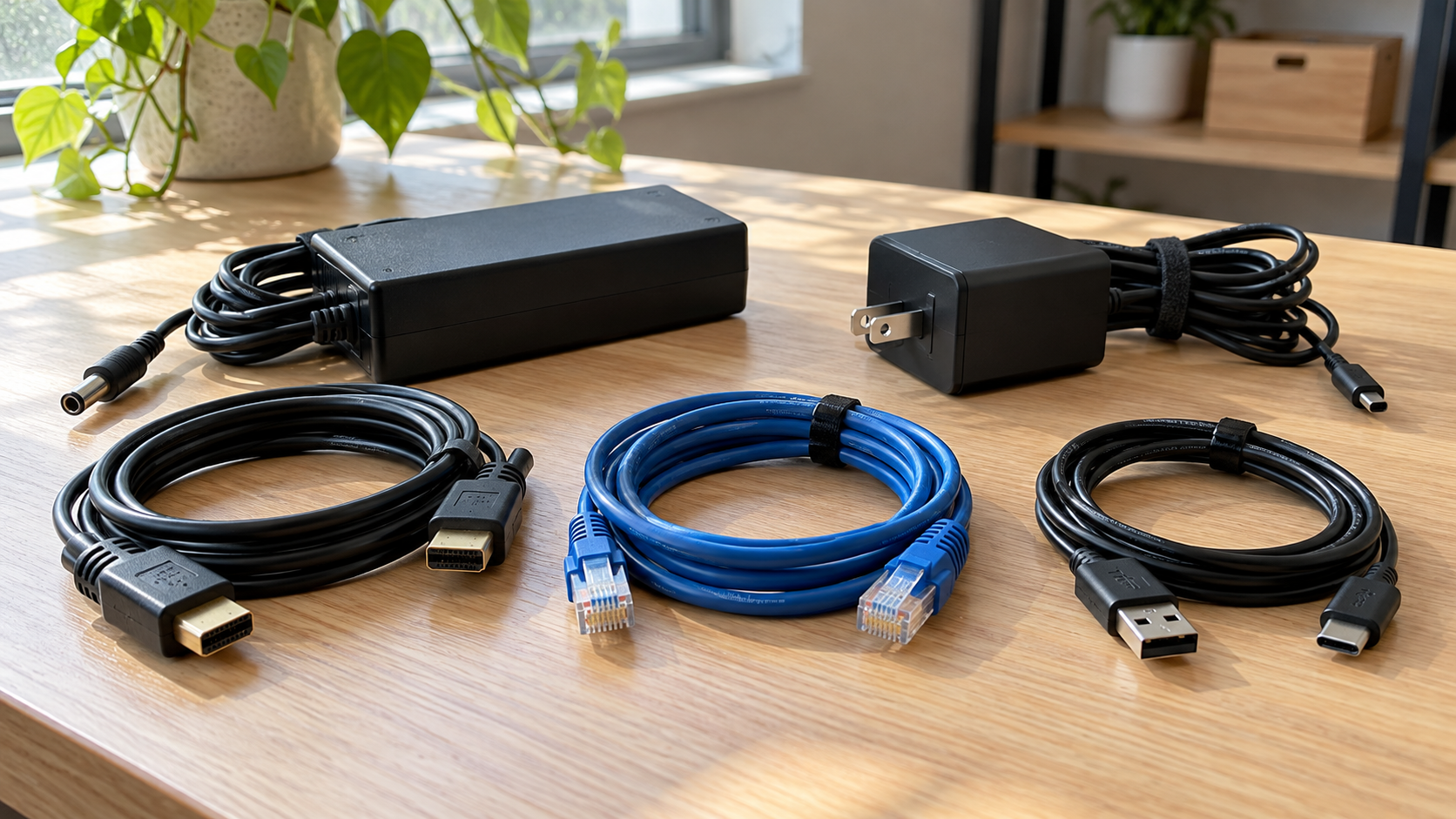
A drawer full of cables usually contains several different problems: useful spares, adapters that belong with equipment, broken cords, and chargers nobody can identify. Cable recycling starts by separating those groups rather than sending everything away together.
For old USB cords, HDMI cables, Ethernet leads and laptop chargers, look for an electronics collection program that explicitly accepts your items. Confirm the destination before traveling, especially if you have business equipment or several boxes. Acceptance of computers does not automatically mean acceptance of every accessory.
Keep ordinary cables separate from power banks and battery backup equipment. Those items can contain batteries and need different handling. The steps below help households and office teams sort accessories, preserve useful equipment and ask the right questions before arranging recycling.
Where Can You Recycle Old Cables and Chargers?
Start with your city or county waste-management website, electronics collection events, manufacturer takeback information, or an electronics recycler. Search for the exact item alongside your location: “USB cable recycling,” “laptop charger recycling,” or “computer cable recycling near me.”
The EPA’s electronics donation and recycling guidance points readers toward state and community recycling resources and electronics takeback options. Use these as starting points, then check the collector’s own current acceptance list.
Before visiting, confirm:
- Whether loose cables and power adapters are accepted.
- Whether the program serves households, businesses, or both.
- Whether an appointment, quantity limit or fee applies.
- Whether cables can arrive mixed or should be sorted.
- Whether battery-containing accessories require a separate arrangement.
A household collection program may have different eligibility rules from a business service. An office clearing a storage room should describe the quantity and source of its equipment rather than assume a public drop-off program will take the entire load.
For businesses considering 3W Computer, send a list or photos of the accessories and ask about acceptance, preparation requirements and available arrangements before bringing or shipping anything.
Which Cables and Accessories Should You Sort?
Group items by function so you can describe them accurately. You do not need to identify every connector standard before asking a recycler for help.
| Item group | Examples | What to check first |
|---|---|---|
| Charging and data cables | USB-A, USB-C and older charging leads | Condition and whether a device still needs them |
| Display cables | HDMI, DisplayPort, DVI and VGA | Whether they belong with a monitor or workstation |
| Network cables | Ethernet patch cables | Whether usable lengths are worth retaining |
| Power cords | Detachable computer and monitor cords | Damage, connector type and equipment compatibility |
| External power adapters | Laptop chargers and monitor power bricks | Correct device pairing and visible condition |
| Battery-containing accessories | Power banks and battery backup units | Separate acceptance and handling instructions |
These are sorting categories, not a promise that a particular location accepts everything listed. Send photos when a charger or adapter is difficult to identify.
Keep hubs, docking stations and external drives in their own group. They are equipment, even when they have an attached cable. Separating them helps avoid overlooking useful accessories or storage devices.
Keep Useful Cables Before Recycling the Rest
An older connector is not automatically useless. A working display cable may still support a meeting-room screen, while a compatible charger can keep a spare laptop usable.
Set a practical limit on what you retain. Keep accessories that match equipment you actually own, along with a reasonable number of identified spares. A box labeled “might need someday” is difficult to manage when nobody knows what is inside.
For offices, ask IT to approve the keep list. A small inventory might record the cable type, approximate length, compatible equipment and storage location. This makes a spare useful when someone needs it.
Do not donate visibly damaged electrical accessories as working equipment. Frayed insulation, exposed conductors, cracked housings or heat damage are reasons to stop using an item and seek an appropriate disposal route. Do not plug in questionable chargers simply to finish sorting a box.
Reuse should be based on condition and compatibility, not just whether a connector fits.
Keep Laptop Chargers With Their Devices When Appropriate
A laptop being evaluated for reuse is easier to assess when its correct charger is available. The same applies to monitors with external power supplies and small computers that require a separate adapter.
Before putting every power brick into a recycling box, check whether it belongs with equipment being retained, transferred or evaluated. Record the pairing or keep the items together in a way the receiving organization accepts.
Do not assume two adapters are interchangeable because their plugs look alike. Check the device manufacturer’s compatibility information. If the adapter cannot be identified confidently, set it aside for review rather than attaching it to a random laptop.
This matters during office cleanouts. One team may collect computers while another gathers accessories, leaving otherwise useful equipment without its matching power supply. Agree on the sorting plan before the cleanup begins.
Can Cables Go in the Curbside Recycling Bin?
Do not assume a household recycling bin accepts cables, chargers or power cords. Check your local program’s published instructions; if these items are not explicitly accepted, use a suitable electronics collection route.
An item containing recyclable material is not necessarily suitable for curbside collection. A cable combines insulation, conductors and connectors, while a charger includes additional electronic components. The destination needs a process for the complete item.
Ask the collector whether to leave cords intact. Avoid cutting plugs off or stripping insulation unless a qualified receiving program specifically requests preparation you can safely perform. Do not burn insulation or open charger housings to recover material.
For a mixed office load, a clear description of the equipment is more useful than attempting to dismantle everything before collection.
Power Banks Need a Separate Plan
A wall charger and a portable power bank may sit in the same drawer, but they are different items. A power bank stores energy in a battery. Battery backup units also require separate attention.
The EPA states that lithium-ion batteries and devices containing them should not go in household garbage or municipal recycling bins. Ask a program that accepts batteries or battery-containing electronics how to prepare and deliver the specific item.
Do not bury power banks underneath loose cables. If an item is swollen, damaged or otherwise abnormal, contact the manufacturer or an appropriate local collection program for specific instructions. Do not try to remove an internal battery by opening a sealed enclosure.
For business quantities, identify battery-containing items when requesting collection guidance. They can change the preparation and transportation requirements for the load.
How to Prepare Cables for Recycling
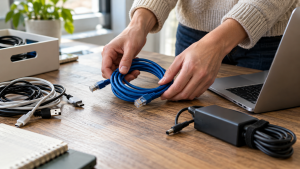
Once a destination confirms acceptance, prepare the accessories according to its instructions. For ordinary intact cables, a simple sorting process usually makes the handoff easier.
- Disconnect accessories from equipment. Confirm the devices are retired and the cables are no longer needed before removing them from an active workspace.
- Separate reusable items. Keep approved spares and correct device pairings out of the recycling group.
- Remove unrelated equipment. Set aside external drives, battery packs and other devices for their own review.
- Coil loosely. Avoid tight knots or pulling hard on connectors. Follow the collector’s preferences for ties or bundling.
- Use manageable containers. Several smaller boxes can be easier to handle than one overloaded container. Describe approximate quantities when arranging collection.
- Confirm the handoff. Check the address, appointment requirements, accepted materials and any charges before departure.
Remove confidential paperwork from boxes and check for company labels that should stay within your organization. Do not include batteries in a cable box unless the receiver specifically instructs you to do so.
A Cable Recycling Checklist for Businesses

Office moves, employee equipment replacements and storage-room cleanups can produce accessories from several generations of hardware. Assign one person to coordinate the final inventory so different teams do not make conflicting decisions.
Record approximate counts or quantities for cables, external adapters, docking stations and other equipment. Add photos of unusual items and identify anything containing a battery. Note whether accessories are loose, boxed or still connected to equipment.
Include collection details that affect the work: floor level, elevator access, loading restrictions, parking arrangements and whether staff can consolidate the equipment in advance.
If the load includes storage devices or computers, keep the data-handling process separate from ordinary cable sorting. A basic passive cable is different from an external drive found in the same drawer. Equipment with storage needs an appropriate disposition decision before release.
Ask what acknowledgment or documentation is available and agree on its scope. A receipt for mixed accessories does not establish that separate data-bearing equipment was sanitized.
Is Cable Recycling Free?
Some programs accept eligible accessories without a drop-off charge, but there is no universal price for cable recycling. Costs and eligibility depend on the program, item type, quantity and collection arrangements.
For a business, ask whether a quote includes transportation, loading labor, accessory sorting and any additional equipment. Small quantities of loose cords may be handled differently from a larger IT equipment collection.
Do not assume a box of cables will generate a payment. Material composition, condition, quantity and processing arrangements can affect whether recovery value exists. Likewise, an advertised household offer should not be treated as a business collection quote.
Send an accurate inventory and ask for written confirmation of charges before committing to a handoff.
Frequently Asked Questions
Can old phone charging cables be recycled?
They may be accepted by electronics collection programs that list charging cables or cords. Confirm the cable type and quantity with the receiving location before visiting.
Can laptop chargers go with computer cables?
Only if the collector accepts both. Keep usable chargers with their compatible laptops when appropriate, and identify external power adapters separately when asking about acceptance.
Should I cut the connectors off old cables?
Ask the receiver first. Leaving cables intact avoids unnecessary preparation and preserves the option to evaluate usable accessories. Do not strip or burn insulation as a home recycling method.
Do ordinary cables need data wiping?
A basic passive cable does not store user files like a hard drive. However, a mixed accessory box may contain external drives or other electronic devices. Identify those items and assess them separately.
Can a business use a household electronics collection event?
Only when the event permits business participation and accepts the proposed quantity. Check eligibility directly; public availability does not establish acceptance of commercial loads.
Can I include a power bank with old chargers?
Identify it separately and request battery-specific instructions. A power bank contains a battery and should not be treated as an ordinary wall charger or cable.
Plan the Handoff Before Clearing the Drawer
Good cable recycling starts with a small amount of sorting: keep useful accessories, preserve correct device pairings, separate battery-containing equipment and confirm what the receiver accepts.
For a business cleanout, contact 3W Computer with your accessory inventory, photos and location to discuss acceptance and collection options. Confirm preparation instructions, eligibility and any costs before arranging the handoff.
Name: Win Win World Recycle LLC
Address: 1226 West 9th Street, Upland, CA 91786
Phone: 908-798-6789