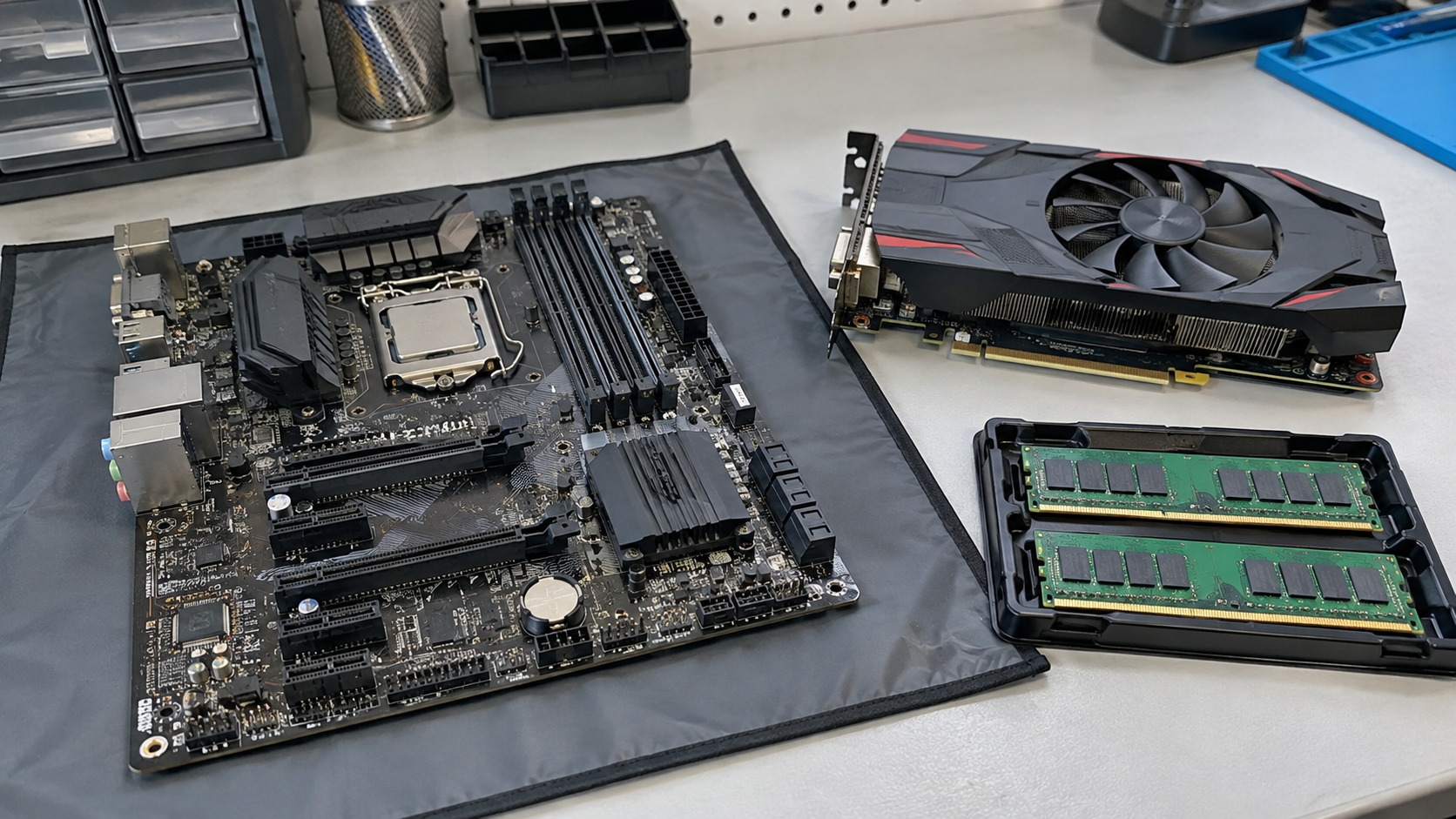
Computer Parts Recycling: What to Do With Old RAM, GPUs and Motherboards
Computer parts recycling starts with identifying the components you already have and checking whether they could be used again. An old graphics card, spare memory module or replacement motherboard may need a different assessment from a complete computer.
For parts that are unsuitable for reuse, look for an electronics recycling program that explicitly accepts loose components. Confirm the categories, condition, quantity and handoff instructions before delivering a box of mixed hardware.
This guide focuses on parts already removed during an upgrade, repair or equipment retirement. It is not a reason to dismantle an intact computer before asking whether the complete system has a useful next step.
Identify the Parts Before Choosing a Route
Start with an equipment list. Read accessible model information where available and describe what you know about condition. Do not guess that an unidentified board works because it looks clean.
| Component | Useful information for a recipient |
|---|---|
| RAM modules | Part number, capacity if known, quantity and testing status |
| Graphics cards | Model, condition and whether the cooler remains attached |
| Motherboards | Model, known faults and missing or damaged parts |
| Processors | Model and known condition, including visible contact damage |
| Power supplies | Model, condition and whether matching detachable cables are included |
| Fans and heatsinks | Type, compatible equipment if known and missing mounting hardware |
| Storage drives | Media type, identifiers and data handling status |
Group unfamiliar parts for assessment rather than assigning a confident label. Photos can help a receiving program review the batch when requested, but keep private asset information out of publicly shared images.
For a business, distinguish spare inventory from parts already approved for retirement. An item left on a repair bench may still be needed to complete another device.
Reuse, Resale or Recycling?
Useful components may be candidates for internal spares, repair projects, resale or donation. That depends on condition, compatibility and whether there is a recipient who can use them.
The EPA’s electronics guidance encourages considering upgrades before replacing a computer. Keeping suitable components in use can be part of that decision, but each proposed reuse still needs a practical assessment.
Separate tested, working components from untested or faulty items in your records. A buyer or recipient should not have to discover after handoff that “working” meant only that the part came from a computer that once powered on.
Do not promise a resale value without an offer. Demand, compatibility, condition and the cost of assessment can affect whether resale makes sense. A large box of old components is not automatically valuable inventory.
If no suitable reuse route exists, confirm an electronics recycling arrangement for the actual parts. Avoid leaving them indefinitely in an unidentified mixed box that becomes harder to assess over time.
What to Do With Old RAM
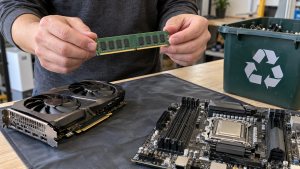
Identify memory by its part number and specifications rather than shape alone. Different systems can use different module types even when the pieces look similar.
If you know the modules were tested, record that information. If you do not, describe them as untested. Keep matched sets identifiable when that context may help another user assess them.
Ask potential recipients whether they need that memory type and quantity. A repair organization may have specific requirements rather than accepting every generation of RAM.
For recycling, ask explicitly about loose memory modules. Follow the recipient’s packaging instructions and avoid unnecessary contact with exposed connectors. This preparation is about protecting components during an approved handoff, not proving they work.
What to Do With Old Graphics Cards
Record the model, known faults and any missing parts. An intact card with its cooler attached is a different assessment from a bare board or a device with damage from an attempted repair.
Be clear about testing history. “Removed during an upgrade” does not establish current functionality, and appearance alone cannot confirm reliability.
Before donation or sale, ask what information the recipient needs to check suitability. Avoid spending money on repairs solely for resale before assessing whether there is a practical market or recipient.
If recycling is the selected route, confirm acceptance for the card in its present condition. Do not remove fans, heatsinks or metal brackets merely because the materials look separable. The receiving program may prefer the assembly intact.
What to Do With Old Motherboards and Processors
For motherboards, provide the model and describe known faults or missing components. Keep associated mounting hardware or useful accessories identifiable if the recipient wants them.
A motherboard may still have an installed coin-cell battery. Ask how the receiving program wants battery-containing boards handled rather than assuming it accepts them under the same instructions as every other circuit board.
For processors, identify the model if you can do so without unnecessary handling. Protect exposed contacts or pins using the recipient’s instructions or appropriate original packaging when available.
Do not attempt to extract metals, burn boards or carry out chemical recovery at home. Choose a receiving program for the component rather than treating it as a do-it-yourself materials project.
Keep a complete board assembly intact unless an authorized process requires otherwise. Removing small components can erase useful context and make assessment more difficult without creating a better handoff.
Keep Power Supplies Fully Enclosed
List power supplies separately and include their model and known condition. Do not open the enclosure or attempt internal repairs as part of recycling preparation.
For modular units, keep original matching cables identifiable if reuse is being considered. Do not bundle unidentified cables as though they are confirmed compatible with a particular supply. Ask the recipient whether it wants them and how they should be grouped.
Recycling acceptance and reuse assessment are different questions. A recipient may accept a faulty enclosed unit for processing without considering it suitable to power another computer.
Use a separate equipment category for battery backup units and portable power banks. These are not interchangeable with an ordinary computer power supply and may need different receiving arrangements.
Storage Drives Need a Separate Data Decision
Do not treat HDDs, SSDs or removable storage as ordinary loose components. Establish whether information must be preserved and who is responsible for its treatment before transfer.
A drive that came from a broken machine may still contain information. Likewise, removing a drive from a computer does not establish that its data have been sanitized.
Keep storage identifiable and record its status. If a provider will handle the data, agree on the process, supported media, custody and documentation before including drives in the collection.
For businesses, use the organization’s approved retention and retirement process. This article does not replace a media-specific data plan; the important step is to keep unresolved storage out of an undifferentiated parts batch.
Where to Find Computer Parts Recycling Near You
Check official program instructions rather than assuming that computer acceptance includes every loose component.
Local Electronics Collection Programs
Review city or county electronics collection information and ask about the actual parts. Confirm appointments, residency requirements and any quantity limits.
If the components come from a business, ask whether that source is eligible. A household collection event may not be the right route for a repair shop’s inventory or an office retirement batch.
Manufacturer and Retail Takeback Options
Check current terms for the particular program. A return arrangement for complete equipment or accessories may not cover a box of mixed boards, coolers and power supplies.
Confirm condition and packing requirements before shipping. Do not use a label issued for one item to send a different assortment without approval.
Electronics Recycling Providers
Send a categorized list and ask about acceptance, assessment and logistics. Tell the provider whether components are loose, installed in assemblies, damaged or untested.
For businesses, governments and large purchasers, the EPA recommends certified electronics recyclers. Its guidance identifies R2 and e-Stewards and provides routes to their directories.
If certification is a procurement requirement, verify the actual facility’s current listing and relevant scope. Then confirm whether the provider’s arrangement fits your parts and requested work. A general certification claim does not answer every operational question.
Prepare Loose Parts for Handoff
Follow the receiving program’s instructions before packing. Keep different component types identifiable and disclose sharp damage, loose batteries or other exceptions before transport.
For parts being assessed for reuse, ask about suitable antistatic protection and physical separation. Avoid tossing boards, heavy power supplies and delicate components into one box where they can damage each other.
Do not add household batteries, fluids or unrelated material to the parts collection. List battery-containing items separately and obtain the appropriate instructions.
Keep the batch consistent with the approved list. If you discover more equipment, update the recipient instead of assuming that every item is covered by an earlier acceptance.
An accurate condition description and organized handoff are more useful than unnecessary cleaning, dismantling or an improvised repair attempt.
Business Inventory and Cost Questions
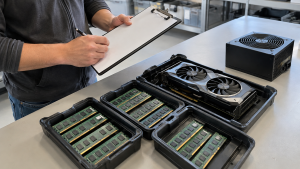
For office IT teams and repair operations, identify who can approve release of spares. Confirm ownership before including customer property, warranty returns or components needed for another repair.
Build an inventory appropriate to the project: component category, part number where practical, quantity, testing status, location and any data or battery exception. Agree on whether records will track individual devices, grouped quantities or another suitable measure.
Ask what documentation the receiving provider offers. A transfer acknowledgment and a data processing record serve different purposes, so request the records relevant to the actual work.
Costs depend on the assortment and service. Confirm transportation, packing, assessment and documentation where applicable. Do not assume that metal content guarantees a payment or that all parts are accepted without charge.
Use the same list when comparing quotes so each provider is evaluating the same scope.
Frequently Asked Questions
Can I Recycle Computer Parts Without the Original PC?
Potentially. Ask whether the program accepts loose components and provide the categories and condition. Whole-computer acceptance alone does not establish acceptance of every part.
Should I Take Apart a Complete Computer Before Recycling?
Ask the recipient first. An intact system may be easier to assess for reuse, and unnecessary dismantling can separate useful matching components. This guide concerns parts already removed.
Can Broken Graphics Cards and Motherboards Be Recycled?
Ask the receiving program about their current condition. Describe missing parts or damage before delivery. Recycling acceptance does not mean a component is suitable for reuse.
Do RAM Modules and Hard Drives Need the Same Preparation?
Do not combine their requirements automatically. Persistent storage needs a specific data decision. Identify each component and follow the approved process for its type.
Should I Remove a Motherboard Battery?
Follow manufacturer and receiving-program instructions. Do not assume every battery is user-serviceable or that a board with a battery follows the same route as other loose components.
Will a Recycler Pay for Old Computer Parts?
Only an actual assessment and offer can establish that. Component type, condition, demand and required work affect commercial terms. Confirm fees and any payment rather than guessing from appearance.
Discuss Your Loose Computer Components
Computer parts recycling is easier to arrange when the recipient knows what the batch contains. Assess practical reuse, keep storage and battery exceptions visible, and confirm acceptance before packing or transport.
Contact 3W Computer to discuss loose components and related IT equipment. Share the categories, quantities, condition and location, and ask about acceptance, applicable costs and suitable next steps for your project.
Name: Win Win World Recycle LLC
Address: 1226 West 9th Street, Upland, CA 91786
Phone: 908-798-6789