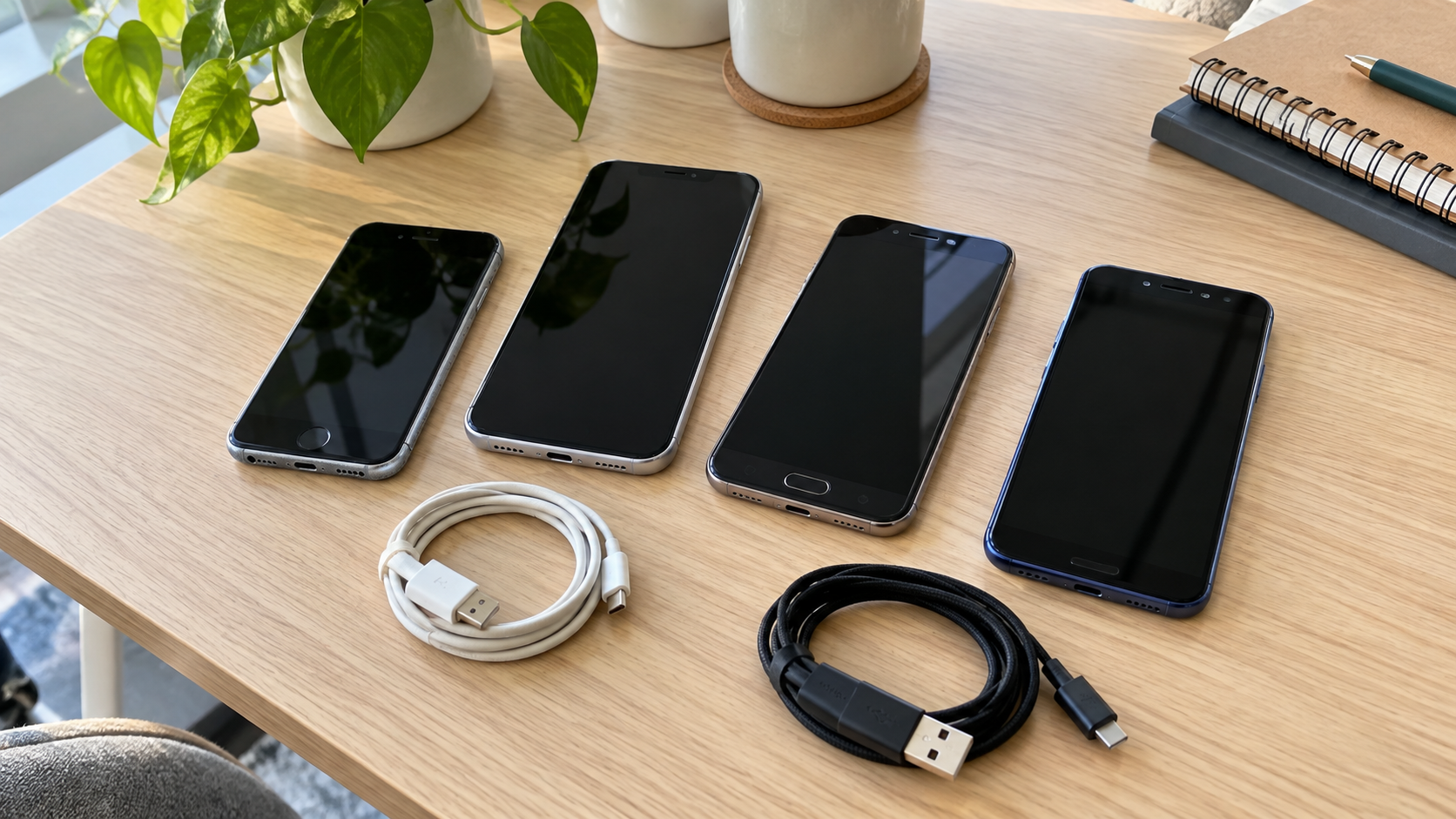
Cell Phone Recycling: Where to Recycle Old Phones and What to Do First
Cell phone recycling starts with choosing a receiving program and preparing the device for transfer. Check whether the phone could be reused, confirm acceptance for its model and condition, and address personal information, accounts and mobile service before handing it over.
Manufacturers, carriers, participating retailers, local electronics programs and recycling providers can be starting points. Their arrangements differ: a working phone, a device with a broken screen and a phone with battery damage may not qualify for the same route.
Whether you have one phone in a drawer or a batch of company devices, the goal is to agree on what happens to the equipment and its information before it leaves your control.
Reuse, Trade-In or Recycling: Which Fits Your Phone?
A functioning phone may have another useful life. Before selecting material recycling, consider whether an approved resale, trade-in or donation arrangement makes sense.
| Option | What to check first |
|---|---|
| Keep or redeploy | Whether the device remains suitable for its intended use and security requirements |
| Sell or trade in | Current eligibility, condition assessment, account status and actual offer |
| Donate | Recipient requirements, supported models, accessories and preparation instructions |
| Recycle | Accepted models and conditions, data responsibilities and handoff arrangements |
Do not assume a phone has trade-in value simply because it powers on. An offer can depend on the model, condition and program terms. Likewise, a charity may need usable equipment rather than devices requiring repairs it cannot provide.
For company property, obtain authorization before resale or donation. Check ownership, return obligations and internal retirement requirements rather than allowing individual employees to dispose of devices independently.
Where to Find Cell Phone Recycling Near You
Look for official, current instructions. A map listing or search result can identify a candidate, but it does not confirm that the location accepts your exact device today.
Manufacturer and Carrier Programs
Check the phone manufacturer’s or carrier’s current takeback information. Confirm whether the arrangement is a trade-in, a recycling service or another return process.
Ask about device condition, account requirements, shipping or drop-off options and any costs. A promotion for an eligible working phone should not be treated as a general offer for every damaged device.
If you are switching service, handle that separately from the equipment return. Handing a phone to a receiving program does not, by itself, establish that your mobile plan has transferred or ended.
Participating Retail Collection
Review the specific location’s acceptance rules before visiting. Find out whether it receives whole phones, accessories and battery-containing devices in the condition you have.
Do not place damaged equipment into an unattended collection box without explicit instructions. Ask the operator about any battery concerns before arranging the handoff.
Local Electronics Collection Programs
Check your city or county waste agency’s electronics guidance. Confirm appointments, residency requirements and quantity limits. If the devices belong to a business, ask whether business-generated electronics are eligible.
The EPA’s electronics donation and recycling page provides resources for locating collection options. Use those resources to identify candidates, then confirm phone acceptance directly.
Electronics Recycling Providers
For business batches or devices requiring additional data handling, ask providers to review the equipment list. Include model, quantity, condition, location and your organization’s documentation needs.
Confirm which services are included. Receiving a phone for recycling and performing a defined data treatment process are different responsibilities; a general acceptance statement does not explain both.
Prepare Information You Want to Keep
Before erasing a working phone, back up information you still need and check that you can access it elsewhere. Consider photos, contacts, messages and app-specific information rather than assuming one backup includes everything.
Make sure you can still access important accounts after the phone is gone. For example, review authentication apps, recovery options and services tied to your old number. Transfer access through the relevant service’s instructions before retiring the device.
For a company phone, follow IT and records-retention procedures. Do not delete business information just because the physical device is no longer needed. Obtain the required approval and clarify which records must be preserved.
If the phone is damaged or has battery concerns, do not keep using or charging it merely to complete a backup. Seek an appropriate assessment and decide whether recovery is necessary before authorizing disposal.
Address Accounts and Device Erasure
Use current instructions for the exact phone and software version. Do not assume that removing an app, signing out of one service or deleting selected files completes the transfer preparation.
For iPhone, the manufacturer’s transfer checklist covers backup, account steps and device erasure. It also warns that manually deleting synced information while signed in can remove it from cloud storage and connected devices. Follow the transfer process rather than manually clearing items one by one.
For Android, the official factory reset guidance explains backup and reset preparation and directs users to manufacturer instructions for device-specific steps. Review account removal and transfer requirements for your model before giving it away.
Resolve account locks through authorized account access or manufacturer support. Do not give a recipient your account password as a substitute for completing the transfer process.
For businesses, let authorized IT staff coordinate management enrollment, account release and the approved data process. A phone that has left an employee’s hands may still be connected to organizational systems until those tasks are completed.
Check Physical SIM Cards, eSIM and Memory Cards
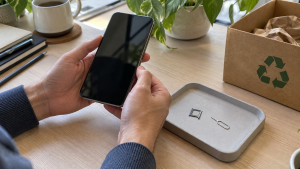
Handle mobile service and removable items deliberately. Transfer service as needed and confirm the next step with your carrier before removing access you still rely on.
Remove a physical SIM card before handoff unless an explicitly agreed process requires otherwise. Check for removable memory cards on models that support them. Those cards need their own data decision; do not leave one inside because the phone itself has been reset.
For eSIM, follow the manufacturer’s transfer and erasure instructions. The iPhone checklist specifies erasing the eSIM profile when transferring a device and prompted to do so. Coordinate service transfer first rather than treating profile deletion as a substitute for carrier arrangements.
Keep SIMs and memory cards you retain out of the equipment collection. Record what remains with a business device when that information is needed for reconciliation.
What if the Phone Does Not Turn On?
A nonworking phone is not evidence that its information has disappeared. Explain that it cannot be operated and ask about an appropriate data handling route before transfer.
First decide whether the information is needed. If recovery matters, obtain advice before authorizing actions that may prevent recovery. If recovery is unnecessary, agree on suitable treatment for the device and its condition.
Avoid claiming that a reset was completed when you could not perform or confirm it. For a business batch, record that exception clearly so a failed device is not mistakenly marked ready for reuse.
Also distinguish a broken display from battery damage. A receiving program may assess those conditions differently. Give an accurate description rather than describing every nonworking phone as simply “broken.”
Battery Condition Can Change the Receiving Route
Phones containing lithium-ion batteries should not go in household garbage or ordinary household recycling bins. Use an appropriate electronics or battery collection arrangement instead.
If the device is swollen, visibly separating or otherwise suspected of battery damage, disclose that before moving it. Do not press the casing closed, puncture the device or attempt an unfamiliar battery removal.
The EPA’s lithium-ion battery FAQ directs users with swollen batteries to seek guidance from the manufacturer, retailer or appropriate waste program when there is no immediate fire threat. If there appears to be an imminent fire risk, move away and call 911 in the United States.
Do not assume an ordinary mail-in kit or retail collection box accepts damaged battery-containing phones. Get condition-specific receiving and transport instructions. A generic recycling label does not establish a suitable arrangement for every device.
Recycling Company Phones in Batches

Create an inventory before collection. Include the identifiers your organization needs, such as asset tag, model, serial number or IMEI, condition and assigned location. Keep device identifiers within appropriate internal records rather than publishing them in equipment photos.
Reconcile returned phones with employee and asset records. Identify missing devices, leased equipment and units awaiting data recovery or ownership decisions.
Have IT staff approve data treatment and management release. Distinguish between work completed internally and work assigned to a provider, and agree on how unsuccessful processing will be reported.
Ask what documentation is available and whether results can be linked to the inventory. A receipt, an equipment count and device-level processing records answer different questions. Order the records your organization actually needs.
Confirm the packing and handoff plan before staging equipment. Keep intact devices organized and disclose exceptions separately. If another phone is added after approval, update the receiving provider rather than assuming its condition is covered.
Is Cell Phone Recycling Free?
Costs and potential trade-in value depend on the program and equipment. Ask about your specific phones rather than relying on a universal price claim.
For a business project, clarify whether the arrangement includes transportation, data work and reporting. A quote covering hardware collection should not be assumed to include every requested service.
Ask about damaged-device requirements before accepting a quote or shipping instructions. A collection arrangement for intact phones may not apply to a phone with unresolved battery damage.
Frequently Asked Questions
Can Old Cell Phones Be Recycled Without a Charger?
Ask the program. A charger may be useful for reuse, but acceptance requirements vary. Confirm whether chargers and cables are accepted separately or should accompany each phone.
Can I Recycle a Phone With a Broken Screen?
Potentially. Describe the damage and confirm acceptance. Also explain whether the device can be operated and whether you have completed the required data and account preparation.
Does Removing the SIM Card Erase My Phone?
No. SIM removal does not replace the device’s data erasure process. Address internal storage, accounts, eSIM and any removable memory card as applicable.
Can I Donate a Phone That Is Still Locked to My Account?
Resolve the account association through the authorized transfer process before donation. Ask the recipient about its requirements, and do not share account credentials to work around a lock.
Should I Factory Reset a Company Phone Myself?
Follow your organization’s IT process. Data retention, management enrollment and retirement approval may need coordination. An individual reset should not be assumed to complete those tasks.
Can a Phone That Does Not Power On Still Contain Data?
Yes. Treat it as a data-bearing device until an appropriate process has addressed the information. Decide whether recovery is needed before authorizing disposal or destructive treatment.
Arrange the Handoff After Preparing the Device
Cell phone recycling is easier to manage when acceptance, data responsibilities and battery condition are clear. Consider reuse where appropriate, preserve needed information and complete the authorized preparation before transfer.
Contact 3W Computer to discuss your retired phones and related IT equipment. Include models, quantity, location, condition and documentation needs, and ask about acceptance and suitable next steps before bringing or shipping devices.
Name: Win Win World Recycle LLC
Address: 1226 West 9th Street, Upland, CA 91786
Phone: 908-798-6789