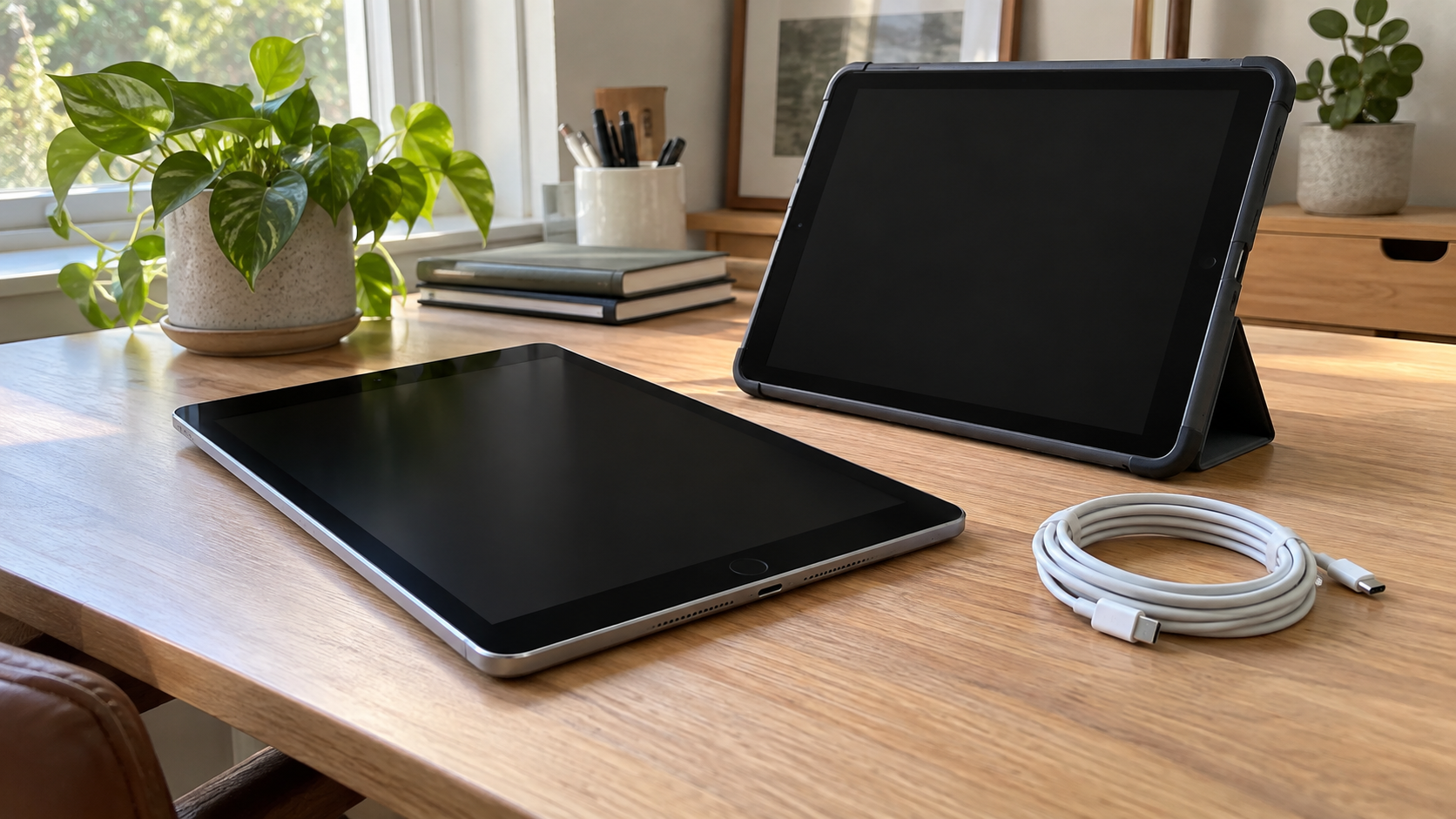
What to Do With an Old iPad: Reuse, Donate or Recycle?
An iPad that no longer fits your daily routine may still be useful to someone else. But a device that turns on is not automatically ready for donation, and a tablet with a dead screen is not automatically free of personal information.
If you are deciding what to do with an old iPad, start with its condition, software support and ownership. Then compare keeping it, selling it, donating it, trading it in or arranging recycling. Prepare the device before it leaves your control, whichever option you choose.
For businesses and schools, the process also needs an administrator’s review. A tablet used by an employee or student may remain connected to organizational management even after it stops being used.
Choose an Option Based on the Actual Device
There is no single best destination for every old iPad. A supported tablet in good condition presents different options from a damaged unit that cannot be assessed safely.
| Option | When it may make sense | What to confirm |
|---|---|---|
| Keep using it | It still meets a useful need | Software compatibility, condition and security requirements |
| Sell it | Someone wants that model and condition | Honest description, ownership and readiness for transfer |
| Donate it | A recipient has agreed to accept it | Minimum requirements, accessories and account readiness |
| Trade it in | A current program accepts the device | Eligibility, inspection terms and final value |
| Recycle it | Continued use is unsuitable or impractical | Acceptance, data handling and battery-related instructions |
Identify the model before comparing offers or contacting a recipient. A broad description such as “older iPad” makes it difficult to assess compatibility, expected condition or acceptance.
Keep notes on known faults rather than passing the same uncertainty to the next person.
When Keeping an Old iPad Makes Sense
Keep the tablet when you can name a practical use for it and it remains appropriate for that use. Possible roles include reading, viewing reference material or running a compatible app that you still need.
Check the app’s current requirements and the device’s available software updates. Do not assume that every old model can run the same apps as a newer tablet, or that an app opening successfully settles every security question.
Condition matters too. Consider whether the display, charging connection, buttons and battery behavior remain suitable. A tablet that needs frequent attention may be a poor choice for a task where reliability matters.
In a business, have IT approve a new role before redeploying the device. An old tablet should not become an unofficial customer kiosk or shared work device simply because it is available.
If you retain it as a spare, record its purpose and storage location. “Keep just in case” is less useful when nobody knows which device works or why it is being stored.
Selling an Old iPad: Describe It Honestly
A resale listing should identify the model and condition accurately. State known issues rather than using “works great” for a device you have not checked.
Useful details include storage capacity when verified, Wi-Fi or cellular capability, included accessories and any functional problems. Avoid guessing specifications from appearance. Use the device’s information or authoritative model documentation where available.
Compare realistic offers, including any selling fees, shipping expense and time involved. A high asking price in another listing is not proof of what your device will sell for.
Confirm transfer readiness before agreeing to a handoff. A buyer should receive the device itself, not access to your accounts or organizational systems. Do not include account credentials in a listing or send them to a prospective buyer.
Photograph the tablet without exposing private screen content, asset records or account details. Describe accessories separately so the buyer knows exactly what is included.
Donating an iPad: Ask Before Dropping It Off
Donation works best when the recipient has a use for the actual model you own. Ask about accepted models, operating-system requirements, condition and whether a charging cable or power adapter is needed.
Do not assume a school, charity or community organization accepts every tablet. An unsuitable device can create extra sorting and disposal work instead of meeting a need.
Describe any damage or uncertainty upfront. If the device has not been tested, say so. An organization that accepts working equipment may have no way to repair a tablet with an unidentified fault.
Keep accepted donations separate from equipment awaiting assessment. For business batches, record which units are approved for donation and who authorized the transfer.
Confirm whether the recipient can set up the prepared devices before finalizing a larger handoff. A usable tablet needs to be accessible to its next authorized owner, not merely clean on the outside.
Trade-In and Recycling Are Different Outcomes
Trade-in evaluates equipment under a program’s current terms. Recycling provides a destination for equipment that will not continue through that reuse route. Acceptance for one does not establish eligibility for the other.
Check the current model and condition requirements, how inspection affects an estimate, and what happens if the final offer differs. Do not budget around an unconfirmed value.
A device with no trade-in credit may still have a recycling option. Before handing it over, confirm whether the destination is treating it as a reusable device or accepting it for recycling, and complete the required preparation.
For business equipment, compare the administrative work as well as the quoted value. A collection of tablets can involve ownership checks, management review, inventory reconciliation and documentation that a single-device offer does not address.
If your main goal is clearing retired equipment, choose a process that fits the whole project rather than focusing only on a possible value for one unit.
Prepare Personal Data Before the Handoff

Use the current manufacturer preparation guide for the software version on your device. Its instructions cover saving or transferring information, signing out, erasing the tablet and addressing account connections.
Do not manually delete synced photos or documents as a substitute for the documented process: deleting synced content can also affect your cloud data. Signing out without erasing is also different from preparing a device for a new owner.
For a cellular model, review the applicable physical SIM or eSIM instructions and carrier arrangements. Complete the account and transfer steps before release, then verify the expected result.
Keep passwords private. If an instruction or account problem prevents completion, resolve it through official support rather than giving credentials to a recipient.
For company-owned devices, let the responsible administrator control preparation and approval. A personal-device checklist does not replace an organization’s process.
What If the iPad Does Not Turn On?
A nonworking screen or failure to start does not prove that information has been erased. Keep the device under your control while deciding how to address both the fault and the stored data.
If you need information from it, tell the appropriate support professional before authorizing work that could affect it. Data recovery and equipment recycling are different objectives; make the priority clear.
Do not list the tablet as ready for reuse while its account or data status remains unresolved. For a business, identify the unit in the retirement inventory and escalate it to the person responsible for information security.
Ask a proposed receiver what happens to devices that cannot complete normal preparation. Agree on the handling and any evidence your organization needs before the handoff.
Avoid do-it-yourself destruction. Breaking a tablet can create additional hazards while leaving the disposition decision unresolved.
What If the Battery Is Swollen or the Device Is Damaged?
Stop routine testing and seek specific guidance if the tablet or battery appears damaged. The manufacturer’s safety information advises discontinuing use when damage is suspected and states that battery service should be performed by a trained technician.
Do not press a lifted screen back into place, pry out an internal battery or force a swollen device into a tight sleeve. Describe the condition to the manufacturer or an appropriate local collection authority before further handling or transport.
The EPA states that lithium-ion batteries and devices containing them should not go in household garbage or municipal recycling bins. Use a receiving program that accepts the actual device and condition.
Do not pack damaged equipment as though it were an ordinary working tablet. Obtain specific instructions rather than assuming a standard mail-in arrangement applies.
Recycling Old iPads From Businesses and Schools
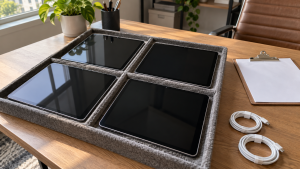
For an organization, begin with ownership and authorization. Separate devices your organization owns from leased equipment, personally owned tablets and units whose status needs review.
Build an inventory with the model, asset identifier, condition, current user or department where appropriate, and proposed destination. Keep sensitive records private when requesting a collection quote.
Have the administrator assess management enrollment and any restrictions that affect transfer. Device erasure and organizational release should be reviewed as distinct tasks. Follow the applicable platform instructions and your organization’s approval process rather than removing controls casually.
Stage devices in clear groups: retained equipment, approved reuse, approved recycling and units awaiting review. This reduces the chance that an unresolved tablet is included in a routine collection.
For a larger handoff, agree on how the equipment will be counted and acknowledged. A receipt for a box of electronics should not be treated as proof of a separate data-handling process.
Where Can You Recycle an Old iPad?
Check official manufacturer resources, local electronics collection programs and recyclers that explicitly accept tablets with built-in batteries. Ask about your model, quantity and equipment condition before traveling.
For a household program, confirm residency requirements, appointments and any limits. Businesses should ask whether commercial loads are accepted instead of relying on consumer drop-off information.
Describe accessories separately. Keep a correct charger with a device being evaluated for reuse when requested, and ask how the receiver wants loose cables or cases sorted.
Businesses considering 3W Computer can send an inventory, condition summary and location to discuss acceptance and available arrangements. Confirm eligibility, preparation instructions, data-handling requirements and charges before scheduling a handoff.
Frequently Asked Questions
Is an old iPad worth keeping?
It can be, if it meets a real need and remains suitable in condition, software compatibility and support. Evaluate the intended task instead of keeping it only because it still turns on.
Can I donate an outdated iPad?
Ask the recipient first. Acceptance depends on its requirements and ability to use that model. Be clear about age, condition and any unresolved issues.
Can I recycle an iPad that will not turn on?
Potentially, through a program that accepts it. Describe the fault and unresolved data status before the handoff; failure to start is not proof of erasure.
Should I remove the battery before recycling?
Do not attempt to remove the internal battery yourself. Ask the receiver how it accepts complete tablets, and use qualified service when needed.
Can school or business iPads be donated after a reset?
Have the organization’s administrator approve the transfer and review management restrictions. Treat a reset as one part of preparation, not automatic confirmation that the device is ready to leave the organization.
Is iPad recycling free?
Fees depend on the receiving program and arrangements. Confirm terms for the actual device, quantity and condition, especially when transportation or business handling is involved.
Decide the Destination Before Letting the Device Go
Choosing what to do with an old iPad means balancing useful life, condition, data preparation and the receiving program’s requirements. Keep suitable equipment in use, confirm demand before donation or resale, and arrange appropriate recycling when reuse is impractical.
For business tablet retirement, contact 3W Computer with your inventory and location to discuss available arrangements. Confirm acceptance, preparation and costs before the equipment leaves your site.
Name: Win Win World Recycle LLC
Address: 1226 West 9th Street, Upland, CA 91786
Phone: 908-798-6789