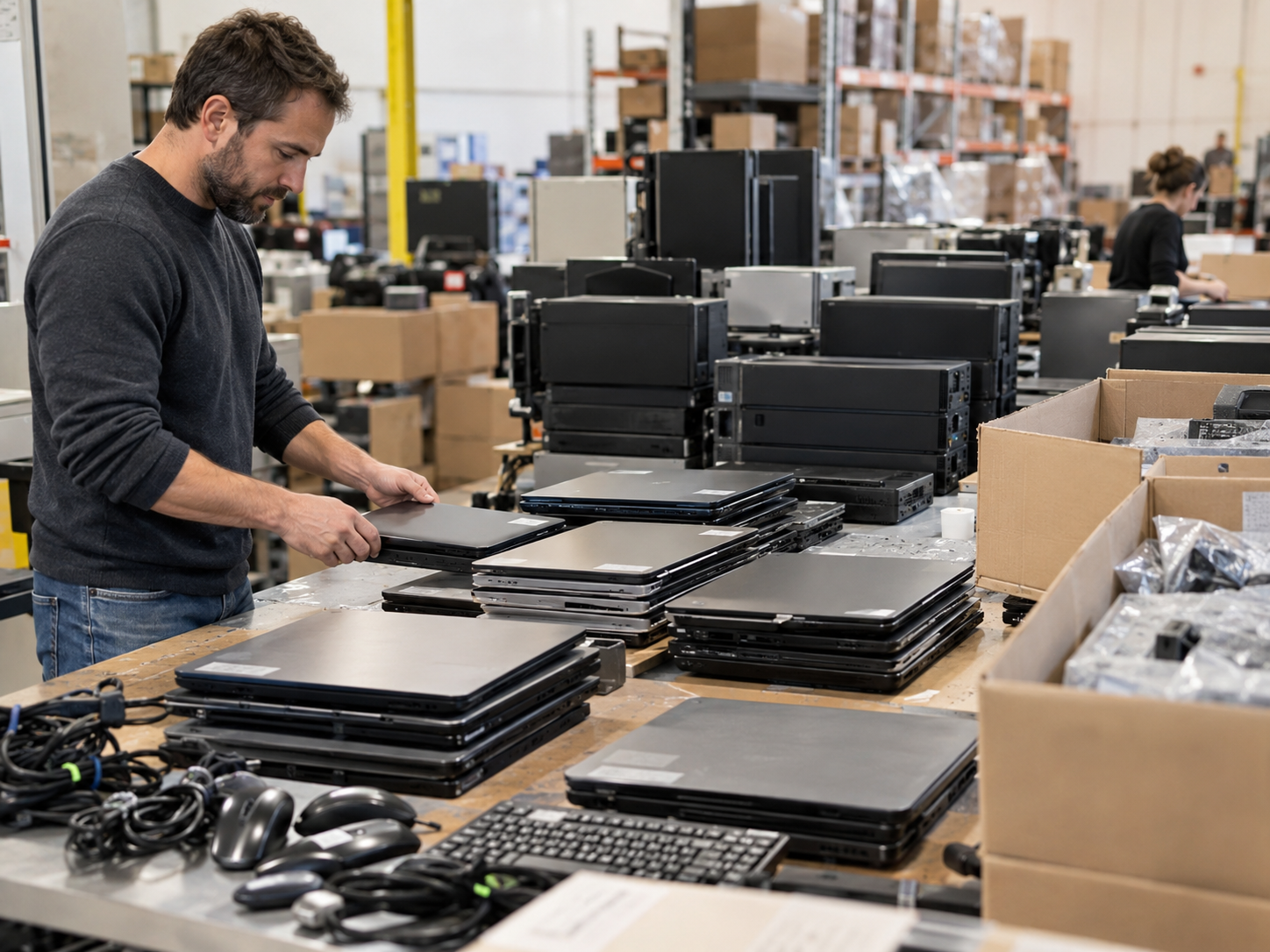
IT asset disposition is the structured process businesses use to retire computers, servers, storage devices, networking equipment, and other technology that is no longer needed. A well-planned ITAD program does more than remove old hardware: it addresses sensitive data, tracks assets, evaluates reuse or resale opportunities, and routes equipment that has reached the end of its useful life toward appropriate recycling.
For businesses managing dozens, hundreds, or thousands of devices, simply placing outdated equipment in storage or sending it to a recycler can create unnecessary security, operational, and financial risks. ITAD brings those decisions into a controlled lifecycle process.
The most effective approach is not automatically to destroy or recycle every device. Equipment condition, data sensitivity, storage-media type, remaining market value, organizational policy, and applicable legal requirements should all influence the final disposition.
What Is IT Asset Disposition?
IT asset disposition (ITAD) is the process of securely and responsibly managing IT equipment when it is retired, replaced, returned, redeployed, sold, donated, or recycled.
An ITAD program commonly addresses assets such as:
- Desktop computers and workstations
- Laptops
- Servers
- Hard disk drives and solid-state drives
- Storage arrays
- Networking equipment
- Monitors and peripherals
- Mobile and other data-bearing devices
ITAD should be viewed as part of technology lifecycle management rather than simply an end-of-life waste service.
A functioning device may still have useful life or resale value. Another device may be obsolete but contain storage media that requires controlled sanitization. A damaged asset may have little reuse value but still contain recoverable materials. ITAD creates a process for distinguishing among these outcomes instead of treating every retired device the same way.
Why Businesses Need a Defined ITAD Process
Retired technology can remain a business risk after employees stop using it.
Devices may contain customer information, employee records, credentials, financial documents, intellectual property, internal communications, application data, or other sensitive information. Even equipment that appears broken may contain readable storage media.
NIST emphasizes that organizations should consider information sensitivity, the nature of the storage media, confidentiality risk, and the intended future use of that media when selecting a sanitization approach. NIST SP 800-88 Rev. 2 also places greater emphasis on establishing an organization-wide media sanitization program rather than treating sanitization as an isolated wiping task.
A defined ITAD process can therefore help organizations address several issues at once: asset accountability, data-security risk, disposition documentation, possible value recovery, and responsible handling of equipment that cannot be reused.
The Main Stages of an IT Asset Disposition Process
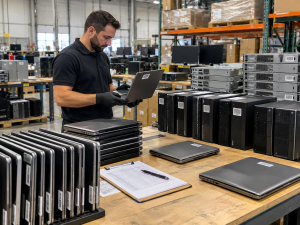
The exact workflow depends on the organization and the equipment involved, but most business ITAD projects should address several core stages.
1. Identify and Inventory Retired Assets
Start by identifying what is leaving service.
An inventory may record information such as asset type, manufacturer, model, serial number, asset tag, storage-media type, physical condition, and disposition status.
This step matters because organizations cannot effectively control retired assets they cannot account for. Inventory records also make it easier to reconcile equipment from an office refresh, data center project, relocation, closure, or scheduled technology replacement.
3W Computer lists detailed inventory reporting as part of its IT asset disposition offering.
2. Determine Whether the Equipment Contains Data
Not every electronic asset presents the same data risk.
A monitor and a server hard drive, for example, require very different handling. Data-bearing assets may include HDDs, SSDs, flash storage, mobile devices, removable media, embedded storage, and other systems capable of retaining information.
Organizations should identify the media involved before deciding how the asset will be processed.
This is especially important with modern storage technologies. A procedure designed for a traditional magnetic hard drive should not automatically be assumed appropriate for an SSD or other flash-based device.
3. Select the Appropriate Sanitization Method
Data deletion and media sanitization are not necessarily the same thing.
Deleting files, emptying a recycle bin, or performing a simple operating-system reset may not provide sufficient assurance for sensitive business information.
NIST SP 800-88 Rev. 2 defines three broad sanitization methods:
Clear uses logical techniques to protect against simple, non-invasive recovery while generally leaving the storage media usable.
Purge is intended to provide stronger protection against recovery while potentially preserving the media for reuse.
Destroy renders the media unusable and is appropriate when the selected physical destruction approach meets the organization’s required level of protection.
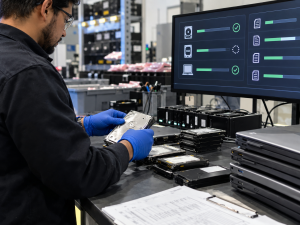
NIST also advises organizations to consult current technology-specific standards when selecting techniques because storage technology changes over time. Rev. 2 specifically shifts most technology-specific technique guidance outside the publication rather than prescribing one method for every device.
The practical lesson for ITAD programs is straightforward: the disposition decision should account for both the data and the media, rather than applying a single wiping or destruction method to every asset.
3W Computer’s published services include software-based data wiping and physical hard-drive shredding. Its service page also lists certificates of destruction and on-site shredding options. Organizations should discuss their particular media types, security requirements, and documentation needs before selecting a method.
Sanitization, Erasure, and Physical Destruction Are Different
These terms are often used interchangeably, but businesses benefit from distinguishing them.
Data erasure generally refers to a logical process intended to remove information while retaining a usable device or storage medium.
Sanitization is broader. It focuses on making access to target information infeasible at the required level of effort. Depending on the situation, this can involve Clear, Purge, or Destroy methods.
Physical destruction makes the media unusable. It can be appropriate when reuse is not required or when an organization’s risk analysis calls for destruction.
Destroying every drive may seem simple, but it also eliminates the possibility of reusing that storage device. For assets with remaining value, an appropriate sanitization process can sometimes support reuse or remarketing instead.
That is why ITAD should connect the data-security decision with the asset’s next destination.
Evaluate Assets for Reuse and Value Recovery
Retired does not always mean worthless.
A laptop replaced because of a corporate refresh cycle may still be functional. Servers and networking hardware may retain secondary-market value. Components may also be recoverable for reuse or parts.
A practical IT asset disposition program can therefore evaluate equipment for several possible outcomes:
- Internal redeployment
- Refurbishment
- Resale or remarketing
- Parts recovery
- Material recycling
The U.S. Environmental Protection Agency notes that extending the useful life of functioning electronics through reuse can help prevent waste, while recycling is appropriate when reuse or repair is not viable.
3W Computer’s ITAD service specifically includes equipment remarketing, and its website describes refurbishment and remarketing as part of its approach to extending the lifecycle of usable IT assets.
For businesses, this means ITAD can be both a risk-management process and an opportunity to identify residual asset value.
Recycle Equipment That Has Reached the End of Its Useful Life
Some equipment will not be appropriate for further use.
Hardware may be damaged, technologically obsolete, uneconomical to repair, or unsuitable for resale. Once data-security requirements have been addressed, these assets may move into electronics recycling and material-recovery channels.
Electronics contain metals, plastics, glass, and other materials that can potentially be recovered through proper recycling. The EPA recommends considering reuse first where practical and using appropriate recycling options when equipment can no longer reasonably remain in service.
For businesses, recycling should therefore be one possible final disposition—not automatically the first step applied to every retired asset.
Documentation Is an Important Part of ITAD
ITAD is easier to manage when actions can be traced back to individual assets or batches.
Depending on an organization’s requirements, useful records may include:
- Original asset inventories
- Serial numbers or asset tags
- Chain-of-custody records where appropriate
- Sanitization records
- Destruction documentation
- Final disposition records
- Remarketing or recovery reports
NIST SP 800-88 Rev. 2 includes sanitization verification and validation as components of a media sanitization program and provides a sample Certificate of Sanitization containing fields for media identification, method, technique, tools, verification, validation, and final disposition.
The documentation required for a particular business will depend on its internal policies, contracts, industry obligations, and risk profile. Organizations should determine those requirements before equipment starts moving rather than trying to reconstruct records afterward.
What Should Businesses Look for in an ITAD Provider?
An ITAD provider should be evaluated on more than its ability to pick up old computers.
Before selecting a provider, businesses should ask how assets are inventoried, what happens to data-bearing devices, how different media types are handled, what documentation is available, and how reusable equipment is evaluated.
Questions worth asking include:
- How will equipment be inventoried and reconciled?
- What information appears in the final asset report?
- Which data-sanitization methods are available?
- How is the appropriate method selected for HDDs, SSDs, and other media?
- What verification or documentation is provided?
- Is physical destruction available when required?
- Can usable equipment be evaluated for remarketing or reuse?
- What happens to assets that cannot be reused?
- What logistics options are available for the specific project?
- Which certifications or standards does the provider currently hold, and can those credentials be independently verified?
The final question is particularly important. A company stating that it follows a standard is not necessarily the same as holding a third-party certification.
3W Computer’s current compliance page states that its electronics-compliance program is in an active audit phase as of March 2026. That should not be interpreted as a completed certification.
When Should a Business Plan an ITAD Project?
IT asset disposition is commonly needed during events such as hardware refreshes, office moves, data center changes, mergers, downsizing, lease returns, infrastructure upgrades, or large-scale device replacements.
Planning before the hardware is disconnected can make the process easier.
IT teams can identify assets, establish data requirements, determine which equipment may qualify for reuse, define documentation expectations, and coordinate logistics before large quantities of equipment begin accumulating.
This can also prevent a familiar problem: retired computers sitting for months or years in a storage room because nobody has established who owns the disposition process.
Building ITAD Into the Technology Lifecycle
The strongest ITAD programs begin before equipment reaches the end of its useful life.
Organizations can establish policies for asset identification, data classification, media sanitization, reuse, destruction, documentation, and final disposition as part of broader IT lifecycle management.
NIST’s current guidance reflects this program-level approach. Rather than treating sanitization as a one-time technical action, SP 800-88 Rev. 2 emphasizes planning, organizational responsibilities, verification, validation, and disposition decisions throughout a media sanitization program.
For IT managers, security teams, operations leaders, and business owners, that approach turns IT asset disposition from a cleanup project into a repeatable business process.
Frequently Asked Questions
What does IT asset disposition mean?
IT asset disposition is the process used to manage retired or surplus technology, including asset tracking, data sanitization or destruction, reuse or remarketing evaluation, and recycling when equipment no longer has a practical reuse path.
What is the difference between ITAD and electronics recycling?
Electronics recycling focuses primarily on processing equipment and recovering materials at the end of its useful life. ITAD is broader and may include inventory, data sanitization, logistics, refurbishment, resale, reuse, reporting, and recycling.
Does every hard drive need to be physically destroyed?
Not necessarily. The appropriate approach depends on the sensitivity of the information, media type, intended destination, organizational policy, and applicable requirements. Properly selected sanitization may allow some media to remain reusable, while other situations may call for physical destruction.
Is deleting files enough before disposing of a computer?
Generally, ordinary file deletion should not be treated as equivalent to media sanitization. Businesses should select a sanitization process appropriate to the device, data sensitivity, and intended disposition.
Can retired IT equipment still have value?
Yes. Functional computers, servers, networking equipment, and components may retain reuse or secondary-market value depending on age, condition, configuration, demand, and data-handling requirements.
What is the current version of NIST’s media sanitization guidance?
The current publication is NIST SP 800-88 Rev. 2, Guidelines for Media Sanitization, published in September 2025. It superseded Revision 1 from 2014.
Does 3W Computer provide IT asset disposition services?
3W Computer’s official services information lists IT asset disposition, equipment remarketing, detailed inventory reporting, logistics and pickup, along with data-destruction services. Project requirements and availability should be discussed with 3W Computer directly.
Make IT Asset Disposition Part of Your Risk and Lifecycle Strategy
Effective IT asset disposition should protect information, maintain accountability for retired equipment, preserve useful asset value where practical, and provide an appropriate path for equipment that can no longer be reused.
Instead of treating old technology as a disposal problem, businesses can approach ITAD as a controlled lifecycle process involving inventory, media-specific data decisions, reuse assessment, documentation, remarketing, and responsible recycling.
3W Computer provides ITAD-related services including equipment remarketing, inventory reporting, logistics and pickup, and data-destruction options. To plan a retirement, technology refresh, or larger ITAD project, businesses can contact 3W Computer to discuss equipment volumes, media types, data requirements, reporting needs, and available logistics options.
Name: Win Win World Recycle LLC
Address: 1226 West 9th Street, Upland, CA 91786
Phone: 908-798-6789