Desktop Computer Recycling: What to Do With an Old PC
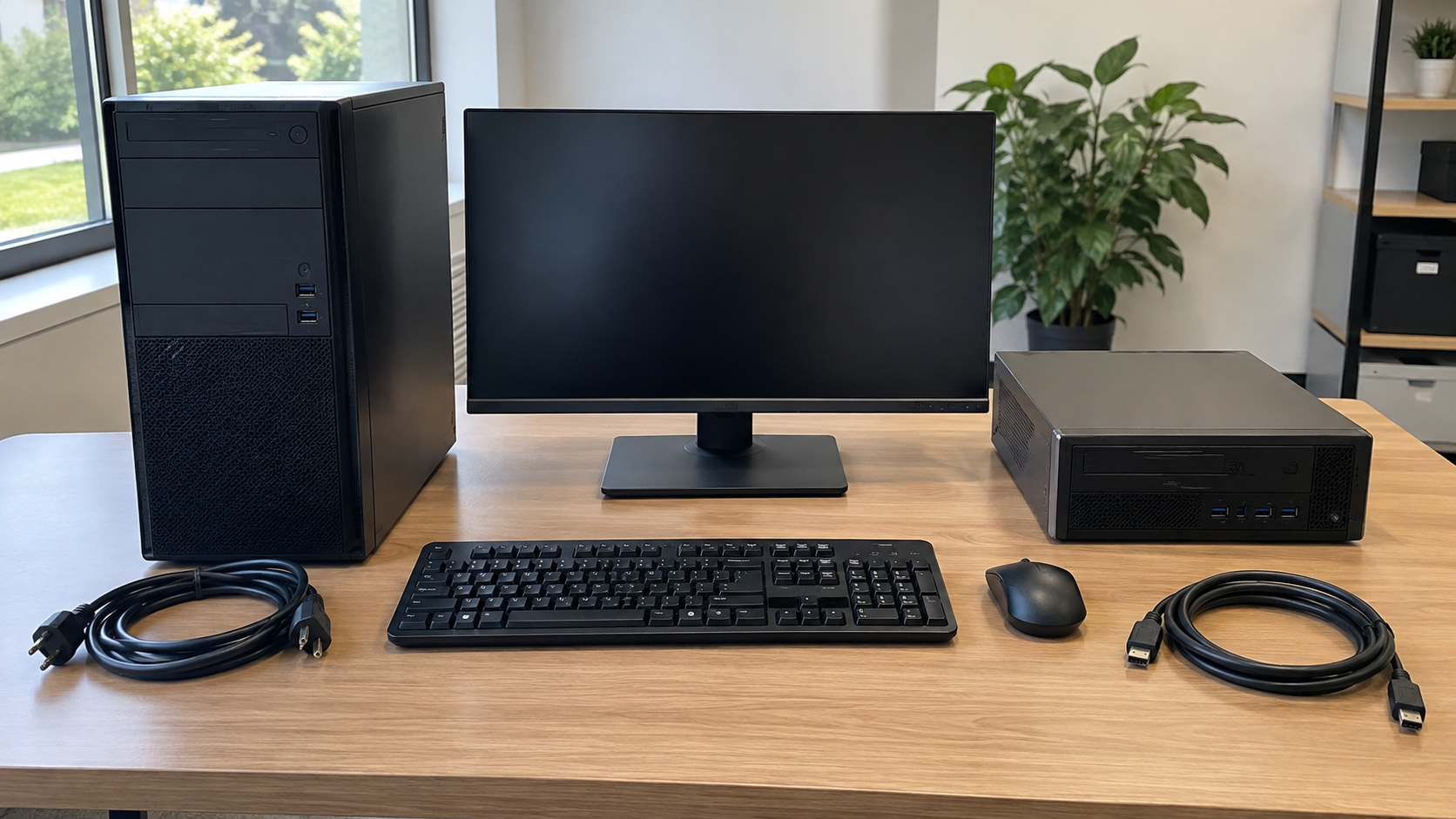
Desktop computer recycling starts with identifying what you are retiring. Is it the computer tower alone, a compact business PC or an entire workstation with a monitor, keyboard, mouse and cables? Make that distinction before asking a program to accept the equipment.
Next, consider whether the computer could remain useful, preserve any information you need, and establish how its storage will be handled. Confirm the receiving program’s equipment rules, costs and handoff instructions before moving anything.
This guide focuses on preparing a desktop and its associated equipment, whether you have one old PC at home or several workstations from an office refresh.
What Counts as a Desktop Computer?
A desktop is not always a large tower. Compact office PCs, mini PCs and all-in-one computers can require different descriptions when arranging reuse or recycling.
| Equipment | How to describe it |
|---|---|
| Tower PC | A standalone computer case; list any separate monitor and accessories |
| Compact or small-form-factor PC | A smaller desktop chassis; identify any matching external power adapter |
| Mini PC | A small computer that may sit behind a monitor or under a desk |
| All-in-one computer | A display with computing hardware inside; do not list it as only a monitor |
| Complete workstation | Computer, display and the specific peripherals included in the handoff |
Check the model number and describe the condition without opening the case unnecessarily. Photos can help a receiving provider identify unfamiliar equipment, but avoid sharing private information or sensitive asset labels publicly.
For business projects, count each equipment category. “Ten desktops, ten monitors and eight keyboard-and-mouse sets” is clearer than “ten computers” when requesting acceptance and pricing.
Consider Upgrading or Reusing the PC First
If the computer still works, consider whether it meets another useful purpose. The EPA’s electronics donation and recycling guidance recommends considering hardware or software upgrades before replacing a computer.
Assess the actual need before spending money. A machine suitable for one basic task may not fit a demanding application, and an upgrade is worthwhile only if it addresses the problem and makes practical sense.
Internal redeployment, resale or donation may also be options. Check condition, completeness, software support and the recipient’s requirements. Do not assume that a device is ready for another user merely because it powers on.
For donations, obtain approval before delivery. A school or nonprofit may lack the resources to repair an unknown machine or source missing accessories. Share the model and known faults and ask whether the equipment fits a current need.
For business property, confirm ownership and authorization before any transfer. An unused computer may still belong to a leasing company or be subject to internal retention requirements.
Where to Find Desktop Computer Recycling Near You
Start with a current official collection page, then confirm the details for your equipment. A general “electronics accepted” statement may not answer questions about monitors, loose drives or business quantities.
Local Electronics Collection Programs
Check your city or county waste agency’s computer collection information. Look for permanent receiving locations, events, residency requirements and appointment instructions.
Confirm the desktop type and whether peripherals are accepted. A monitor, printer or battery-containing accessory may have different requirements from the computer itself.
Businesses should ask about eligibility rather than assuming a household collection program accepts office equipment. State the actual quantity and source of the devices before arranging delivery.
Manufacturer or Retailer Takeback
Review the current program terms for your device and location. Ask whether the arrangement covers whole computers, separate accessories and equipment in its present condition.
If shipping is involved, follow the program’s approved packing instructions. A return option for one device does not establish that an entire workstation can be added to the same package.
Electronics Recycling Providers
For a business batch, send an equipment list with models, quantities, condition, location and data requirements. Ask whether pickup or drop-off is available for that project.
For businesses, governments and large purchasers, the EPA recommends certified electronics recyclers. It identifies R2 and e-Stewards as accredited certification programs and links to their directories.
If certification matters to your organization, check the actual facility’s current listing and relevant scope. Do not assume a provider is certified because a partner is or because a website displays a logo without supporting information.
Address the Storage Before Handing Over the Computer
Back up files you need and check that the backup is accessible. For business machines, follow the organization’s retention and retirement process before erasing anything.
Identify the installed storage rather than assuming there is only one drive. A desktop can have storage that was added or changed after its original purchase. Have authorized technical staff assess unfamiliar configurations.
Then decide who will perform the required data treatment. If a receiving provider will handle it, ask about the method, supported media, custody before processing and records available afterward.
The current NIST SP 800-88 Revision 2 guidance supports selecting media sanitization techniques and controls based on information sensitivity. A general promise to “wipe the computer” does not explain which process suits its storage or how results are assessed.
If you retain a drive, record that decision and confirm the recipient accepts a computer without it. Keeping the drive means keeping responsibility for its information; removing it does not complete its disposal.
What if the Old PC Does Not Turn On?
A nonworking desktop still needs a data decision. Failure to boot does not establish that its storage is empty or unreadable through another appropriate assessment.
First decide whether files need to be recovered. If they do, seek qualified advice before authorizing steps that could prevent recovery. If the information is not needed, agree on a suitable treatment and equipment route.
Describe known faults honestly. “Does not power on,” “missing storage drive” and “intermittently shuts down” are more useful than calling every device broken.
Do not dismantle unfamiliar equipment simply to make it look ready for recycling. Ask whether the receiving program accepts the complete device in its current condition and who should perform any required technical work.
Should Monitors and Accessories Go With the PC?
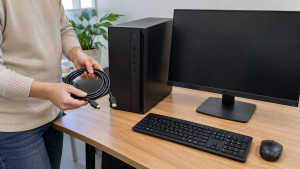
List them separately and confirm acceptance. A complete workstation may be a useful reuse package, but it is not automatically a single recycling item under every program.
Identify monitors by type and condition. An all-in-one computer must not be confused with a display-only device, while a bulky CRT monitor needs explicit acceptance rather than an assumption based on flat-panel collection.
Keep matching external power adapters with compact computers when requested. Missing adapters can complicate reuse. Do not pair a random adapter with a device merely because the connector appears to fit.
Ask about keyboards, mice, speakers and cables as part of the equipment list. A wireless keyboard or mouse may also contain batteries that need attention under the receiving instructions.
Separate unrelated equipment from the workstation description. Printers, power banks and backup power units should not be added to a computer batch without review. Acceptance and handling can differ.
Prepare the Equipment for an Approved Handoff
Finish any required internal approval and data preparation before final staging, unless you have agreed on a suitable controlled process with the provider.
Remove personal items and removable media such as USB drives, memory cards and discs where accessible. Give those items their own data decision rather than accidentally passing them to the next recipient.
Power down and disconnect equipment according to its instructions. Organize detachable cables and protect displays from pressure or impact during transport. Follow the receiving program’s packing requirements rather than improvising a mixed box of loose hardware.
Keep cases assembled unless an authorized process calls for component removal. Do not remove power supply covers or attempt unfamiliar internal repairs as part of routine recycling preparation.
For visibly damaged equipment, disclose the condition before transport. If a batch contains a lithium-ion battery device, do not place it in household garbage or ordinary household recycling; EPA guidance calls for an appropriate receiving route. Obtain specific instructions for any known battery damage.
Planning an Office Desktop Refresh

Use one inventory for internal approval, quote requests and final reconciliation. Include the identifiers your organization needs, together with model, condition, location and storage status.
Distinguish computers approved for retirement from equipment still awaiting migration, recovery or ownership decisions. A device beside the collection area should not become part of the project without approval.
Have IT staff coordinate account, configuration and management release as applicable. Record whether data work was completed internally or assigned to a provider.
Provide access details before collection: floor, elevator, parking, loading area and the staff member coordinating the handoff. Confirm who packs and loads equipment and whether the project covers staged devices only.
Request documentation that fits the work. An equipment receipt and data processing record answer different questions. Agree on what is available and how missing devices or unsuccessful processing will be reported.
Is Desktop Computer Recycling Free?
Costs depend on the receiving program and project scope. Ask about your actual equipment and quantities instead of assuming a universal free service or fixed price.
Clarify whether fees cover the computer alone or also monitors and other accessories. For business projects, ask about transport, loading, data treatment and requested documentation.
Any potential recovery value needs assessment. Do not assume an old PC will generate payment or offset collection costs. Obtain terms based on condition and the agreed service.
Update the provider if you add equipment after a quote. An arrangement for a few desktops should not be assumed to include a printer, CRT monitor or unrelated battery-containing device.
Frequently Asked Questions
Can I Recycle Only the Computer Tower?
Potentially. Confirm acceptance and describe whether it contains storage and any missing components. You do not need to call it a complete workstation if the monitor and accessories are staying with you.
Should I Remove the Hard Drive First?
Follow your data plan and the recipient’s instructions. If you keep the drive, track it separately and remain responsible for its information. Confirm that the remaining computer is accepted without storage.
Can a Broken Desktop Be Recycled?
Many projects can include nonworking equipment, but the receiving program decides acceptance. Describe the fault, damage and data status before delivery rather than assuming every condition qualifies.
Does Recycling a PC Automatically Erase Its Data?
No such assumption should be made. Establish the data process, who performs it and what records are included before handoff. Hardware acceptance alone does not explain data treatment.
Can I Include the Keyboard, Mouse and Cables?
Ask the recipient and list them in the batch. Keep useful matching accessories identifiable, and check instructions for any batteries or other items that need separate handling.
Is an All-in-One Computer Just a Monitor?
No. It combines computing hardware with the display. Identify it as an all-in-one and address its storage and account requirements as part of computer retirement.
Discuss Your Old Desktop Computers
Desktop computer recycling is easier to arrange when the equipment list, storage responsibilities and handoff requirements are clear. Consider useful reuse options, confirm the receiving route and include peripherals only when approved.
Contact 3W Computer to discuss your retired desktop PCs and related IT equipment. Share models, quantities, condition, location and data requirements, and ask about acceptance, applicable costs and suitable next steps.
Name: Win Win World Recycle LLC
Address: 1226 West 9th Street, Upland, CA 91786
Phone: 908-798-6789